Apple M4 Max MacBook Pro 16-Inch: Plain-English Guide for New Buyers
Shopping for a high-end laptop can feel intimidating when technical jargon like core architectures, unified memory pools, and thermal limits dominate the discussion. Gift-givers trying to select a capable machine for a…
By Jasmine Norris 9 min read


Our verdict
Scores are out of 10, based on listed specifications and buyer feedback — not from testing of our own
The Apple MacBook Pro 16 M4 Max is an uncompromising desktop replacement designed specifically for heavy-duty creative production and computational workloads. It delivers phenomenal processing speeds, a vivid display that brings cinematic visuals to life, and a robust port selection that eliminates the constant need for external dongles. While its physical footprint and vast capabilities represent major overkill for light office tasks, it stands as a premier option for demanding professionals who refuse to tolerate rendering slowdowns.
- Enormous 16-core processing unit and 40-core graphics engine built for intensive tasks
- Stunning 16.2-inch Liquid Retina XDR screen featuring 1600 nits peak brightness
- Generous 48 GB memory allocation that effortlessly manages complex multitasking
- Three cutting-edge Thunderbolt 5 ports offering expansive peripheral connectivity
Where to buy
at Amazon Prime
Price taken from the listing on 18 Sep 2026 and it can change at any time. We may earn a commission if you buy through this link.
Pros
- Massive 16-core CPU and 40-core GPU
- Brilliant 16.2-inch Liquid Retina XDR screen
- Generous 48 GB unified memory
- High-speed Thunderbolt 5 ports
- Supports up to four external displays
Cons
- Listing has contradictory storage capacity details
- Renewed pre-owned hardware condition
- Power adapter wattage not specified in listing
As Amazon Associates, we earn from qualifying purchases. This means we may receive a small commission at no extra cost to you if you click through and make a purchase.
Shopping for a high-end laptop can feel intimidating when technical jargon like core architectures, unified memory pools, and thermal limits dominate the discussion. Gift-givers trying to select a capable machine for a creative student or family member, alongside first-time power users entering the Apple ecosystem, frequently wonder how much computing muscle is genuinely needed. When investing in premium hardware, nobody wants to pay for immense processing headroom that sits completely idle, nor do they want a computer that stutters during demanding creative endeavors. Understanding how top-tier hardware translates to real-world tasks is essential for making a confident, well-informed choice.
The Apple MacBook Pro 16 M4 Max represents the pinnacle of modern portable performance, uniting an expansive 16.2-inch display with Apple’s most potent workstation-class silicon. Our verdict is that this specific configuration provides astonishing speed, immense graphical throughput, and reference-grade screen quality for visual creators, video editors, and software developers. However, everyday shoppers who merely desire a dependable laptop for standard office tasks, web browsing, and media streaming will find its extreme capabilities completely unnecessary for day-to-day computing.
Apple MacBook Pro 16 M4 Max Features Explained
Processing Power and Graphics Architecture
At the core of this machine lies a staggering 16-core central processor combined with a 40-core integrated graphics processor, engineered specifically to handle data-heavy computational challenges. In plain language, the central processor handles the overall logic, calculations, and coordination of your applications, while the expansive graphics array takes charge of visual rendering, video encoding, and image processing. Real-world Apple M4 Max performance allows creative professionals to compile millions of lines of programming code or render complex three-dimensional scenes without encountering the debilitating lag common on lesser machines. When evaluating M4 Max vs M4 Pro configurations, the Max tier doubles down on graphical throughput, making it the superior option for users whose software heavily leans on visual computation.
For shoppers upgrading from earlier hardware like an apple macbook pro m3 pro 14, the leap in simultaneous processing channels provides an immediately noticeable boost in fluid responsiveness. Tasks that previously caused fans to spin audibly or required extended coffee breaks during export routines now process in a fraction of the time. Apple designed this architecture so that full power remains available regardless of whether the computer is plugged into a wall outlet or running purely on internal battery reserves, a rare feat among high-performance workstation laptops.
Display Quality and Visual Fidelity
The MacBook Pro 16 Liquid Retina XDR screen is among the most visually impressive displays fitted to any modern portable computer. Spanning 16.2 inches diagonally, this panel achieves up to 1000 nits of sustained brightness for standard high dynamic range imagery and reaches a dazzling 1600 nits peak brightness when highlighting intense specular reflections. With an extraordinary 1,000,000:1 contrast ratio, deep blacks appear truly dark rather than washed out into dark gray, providing a canvas where subtle shadow details and vivid highlights coexist naturally.
For visual artists who spend long hours color-correcting photography or editing multi-track video, this level of precision ensures that what you see on the screen matches standard broadcast and cinematic expectations. The spacious 16.2-inch physical footprint also grants generous desktop workspace, allowing you to view detailed application timelines, palettes, and preview monitors simultaneously without feeling cramped.
Memory and Everyday Multitasking
Understanding memory can be tricky, but an Apple M4 Max for beginners explanation keeps things straightforward: random access memory functions like a digital workspace or desk where open programs and active files sit. This laptop comes equipped with 48 GB of unified memory, which is significantly higher than standard consumer laptops that often carry 8 GB or 16 GB. Because the memory is unified directly on the processor package, both the processing cores and the graphics cores can access the same data pool instantly without copying information back and forth.
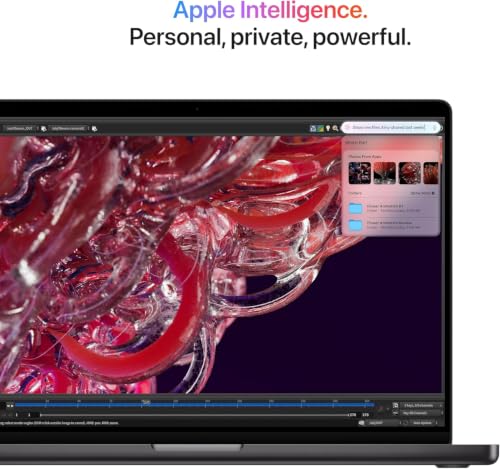
This substantial 48 GB capacity ensures that resource-hungry applications like Adobe Creative Cloud and Microsoft 365 run side by side without causing system stutters. Furthermore, the machine is built for Apple Intelligence, the personal intelligence framework built into macOS that helps users draft writing, summarize complex information, and streamline daily organization with robust on-device privacy protections. The vast unified memory pool provides the exact computational breathing room needed to run these intelligent features smoothly in the background.
Modern Connectivity and External Displays
Connecting peripherals to a creative workstation is critical, and the inclusion of Apple M4 Max Thunderbolt 5 technology brings significant bandwidth advantages. Thunderbolt 5 enables ultra-fast data transmission speeds between your laptop and external high-speed storage drives, audio interfaces, and external hardware. In addition to these three advanced connection points, the laptop integrates an HDMI output for televisions or monitors, an SDXC card slot for immediate photo transfers from digital cameras, a 3.5 mm headphone jack, and a dedicated MagSafe 3 charging port.
Display expansion is another area where the chip excels, supporting up to four external monitors simultaneously, compared to two external monitors on models powered by standard pro chips. This allows power users to build elaborate multi-screen studio environments driven by a single portable machine. Content creators who listen to reference audio or casual playlists can also pair wireless gear like the airpod max pink over Bluetooth to take advantage of the laptop’s advanced spatial audio pipeline without cluttering their physical desk space.
Camera, Audio, and Battery Endurance
Remote collaboration and conference calls are supported by an integrated 12MP Center Stage camera paired with a studio-quality three-microphone array. The camera dynamically tracks your movement to keep you centered in the video frame during meetings, while directional beamforming in the microphone array suppresses unwanted room noise so your voice remains crisp and clear. Audio playback is handled by an immersive six-speaker sound system with force-cancelling woofers, providing support for Spatial Audio and Dolby Atmos playback directly out of the laptop chassis.
Despite harboring such immense processing muscle, M4 Max battery life is engineered to deliver dependable all-day endurance for regular workflows. Traditional workstation laptops typically deplete their batteries rapidly and throttle performance unless tethered to a heavy power brick. In contrast, Apple silicon maintains high power efficiency, enabling creators to work from remote locations, studio sets, or conference rooms without constant anxiety over finding a nearby power socket.
Specs
| Processor | Apple M4 Max with 16-Core CPU |
|---|---|
| Graphics | Integrated 40-Core GPU |
| Memory | 48 GB Unified RAM |
| Screen Size | 16.2 inches |
| Display Type | Liquid Retina XDR (1600 nits peak, 1000 nits sustained, 1,000,000:1 contrast) |
| Storage Listed | 1TB SSD in title / 256 GB in spec table |
| Ports | 3x Thunderbolt 5, HDMI, SDXC slot, MagSafe 3, Headphone jack |
| Camera and Audio | 12MP Center Stage camera, 6 speakers with Spatial Audio, 3 studio-quality mics |
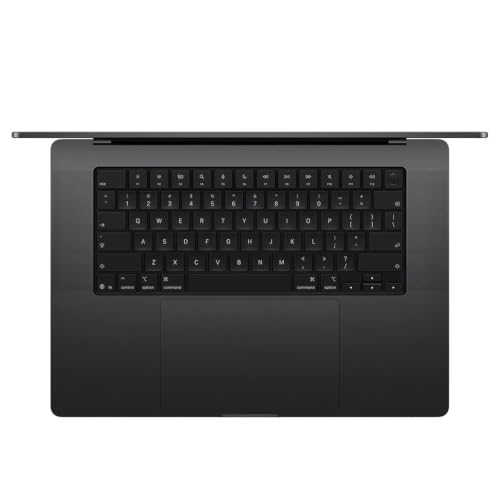
| Color and Finish | Space Black |
| Input Features | Backlit Keyboard, Fingerprint Reader |
As published by the manufacturer on the Amazon listing.
Buy it if
Best Use Cases
- Deploying Apple M4 Max for video editing with multi-stream 8K footage and complex color-grading pipelines.
- Developing software and compiling massive programming codebases across extensive simulation environments.
- Rendering intricate three-dimensional scenes and visual effects using professional creative suites.
- Powering comprehensive multi-display creative studio setups utilizing up to four external monitors.
Think twice if
Before You Buy
Before completing an order for this Apple M4 Max MacBook Pro 16, buyers should pay close attention to configuration details on the listing page. When evaluating the Apple M4 Max specs, note that the listing title describes the machine as carrying a 1TB solid-state drive, whereas the specific technical attributes section lists a hard disk size of 256 GB. Because internal storage cannot be physically upgraded after purchase on modern Apple laptops, shoppers should confirm the exact drive capacity provided by the seller to avoid receiving less local storage than anticipated. Additionally, this listing is marked under Amazon Renewed, indicating a pre-owned or refurbished device that has been inspected rather than a factory-sealed unit.
Prospective owners exploring broader desktop alternatives such as an apple mac neo should consider their physical portability needs and workspace layout. The listing does not specify the exact wattage of the included MagSafe power adapter or whether additional accessory cables come in the packaging. Furthermore, note that while the M4 Max chip supports up to four external displays, reaching that maximum arrangement requires appropriate cables or docking hubs that are sold separately.
Bottom Line
Determining whether the Apple M4 Max is worth it ultimately hinges on how aggressively you plan to push your computer. For students, writers, and general business professionals who primarily manage web browsing, email correspondence, and basic productivity suites, this 16-inch workstation represents an extraordinary amount of overkill. The immense capabilities of the 16-core CPU and 40-core GPU will largely sit dormant during lightweight office tasks, meaning simpler laptop configurations can easily fulfill those needs with equal grace.
On the other hand, for digital artists, visual effects compositors, software developers, and video production houses, the machine is a tour de force. By combining desktop-grade graphical capability, an immaculate Liquid Retina XDR screen, 48 GB of responsive memory, and the cutting-edge connectivity of Thunderbolt 5, it eradicates workflow bottlenecks. If your daily livelihood or serious creative passion demands uncompromised speed wherever you work, this laptop stands as an extraordinary tool that will easily keep pace with your ambitions for years to come.
FAQ
Is the Apple M4 Max worth it for ordinary daily browsing and office tasks?
For typical coursework, web research, streaming media, and spreadsheet editing, this machine is far more powerful than necessary. The high core count and specialized graphics processing are tailored for intense creative production rather than standard day-to-day office routines. Everyday users will experience a fast machine, but they will rarely utilize the deep computational potential that makes this hardware unique.
How does the Apple M4 Max handle professional video editing workloads?
The laptop delivers outstanding performance across multi-stream video workflows thanks to its 40-core integrated GPU and specialized media engines. Video editors can scrub through high-resolution timelines, preview complex visual effects in real time, and export finished video projects without the severe lag or thermal throttling that often hampers ordinary portable computers.
What makes Apple M4 Max Thunderbolt 5 ports different from older connections?
Thunderbolt 5 represents the latest standard in peripheral connectivity, offering significantly faster data transfer speeds compared to previous port generations. This allows creative professionals to connect ultra-fast external storage arrays, specialized video capture cards, and high-resolution external monitors while maintaining stable, lightning-fast bandwidth across all connected devices.
How long does the M4 Max battery life last during intensive workloads?
The laptop is engineered with Apple silicon power efficiency, providing all-day battery life for standard productivity tasks. Unlike many high-performance Windows workstation laptops that throttle their processing speed when unplugged, this MacBook Pro maintains its exceptional performance levels whether operating from an electrical outlet or running entirely on internal battery power.
What are the key differences in M4 Max vs M4 Pro for creative software?
While both chips handle heavy computational loads effortlessly, the M4 Max is specifically augmented with a massive 40-core GPU and support for up to four external displays, compared to the two-display limit on M4 Pro. This makes the Max configuration particularly advantageous for intensive 3D rendering, complex animation, multi-camera video editing, and extensive multi-monitor studio environments.
Where to buy
at Amazon Prime
Price taken from the listing on 18 Sep 2026 and it can change at any time. We may earn a commission if you buy through this link.
More Computers & Laptops
See the section


Get our picks by email
New reviews and the prices we spotted, once a week.