ATTACK SHARK M36 HE Gaming Keypad Review: A Simple Guide
Competitive PC gamers often struggle to balance desk space between an oversized keyboard and a sweeping mousepad. Tilting a standard typing board sideways can place unnecessary strain on wrists and still crowd…
By Tara Sanderson 7 min read


Our verdict
Star rating left by 13 Amazon buyers — not a score from testing of our own
The ATTACK SHARK M36 HE is a specialized 36-key peripheral built for gamers who demand rapid actuation and clear desk real estate. It exchanges full-keyboard versatility for extreme responsiveness, custom switch sensitivity, and ergonomic freedom.
- Streamlined 36-key layout frees up massive desktop space for wide mouse sweeps.
- Hall Effect magnetic switches feature rapid trigger adjustment down to 0.01mm with zero dead zone.
- Esports-grade 8000Hz polling rate and 0.125ms latency deliver virtually instantaneous signal transmission.
- Five-layer internal acoustic dampening and durable PBT keycaps produce a pleasant, solid keystroke sound.
Where to buy
at Amazon Prime
Price taken from the listing on 18 Sep 2026 and it can change at any time. We may earn a commission if you buy through this link.
Pros
- Fast 8000Hz polling rate and 0.125ms latency
- Adjustable 0.01mm rapid trigger sensitivity
- 5-layer acoustic dampening for clean sound
- Web-based driver requires no software download
- Compact 36-key layout frees desk space
Cons
- Cannot replace a standard typing keyboard
- Wired connection only
- Software update support duration unspecified
As Amazon Associates, we earn from qualifying purchases. This means we may receive a small commission at no extra cost to you if you click through and make a purchase.
Competitive PC gamers often struggle to balance desk space between an oversized keyboard and a sweeping mousepad. Tilting a standard typing board sideways can place unnecessary strain on wrists and still crowd your arm movements during intense firefights. The ATTACK SHARK M36 HE solves this posture and space dilemma by stripping away superfluous keys and focusing exclusively on gaming inputs. Designed specifically for players who prioritize fluid mouse aiming, it packs dedicated controls into a compact, single-handed footprint.
In this ATTACK SHARK M36 HE review, the device proves itself to be an ultra-responsive peripheral tailored for high-stakes first-person shooters and esports. While it will never substitute for a complete typing setup for school or office tasks, its combination of customizable magnetic actuation, high-speed polling, and sound-dampened construction makes it a potent upgrade for competitive battlestations.
ATTACK SHARK M36 HE Features Explained
36-Key One-Handed Layout and Form Factor
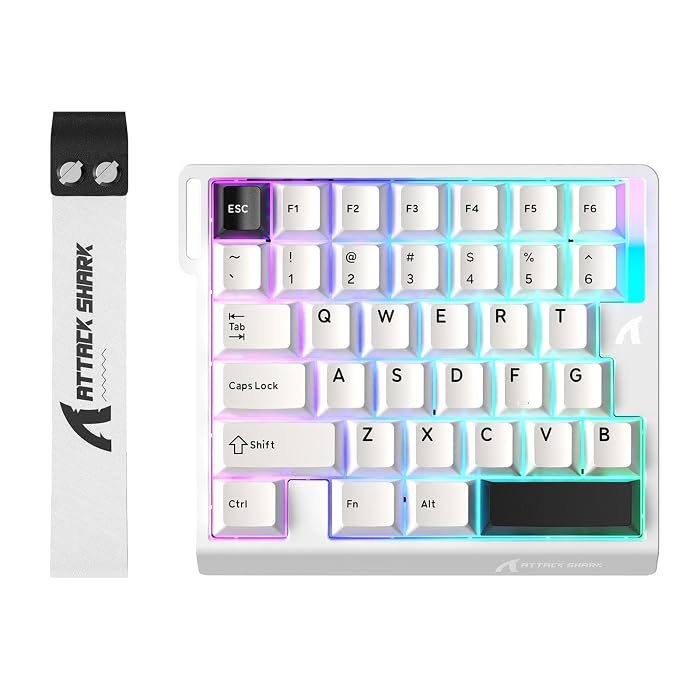
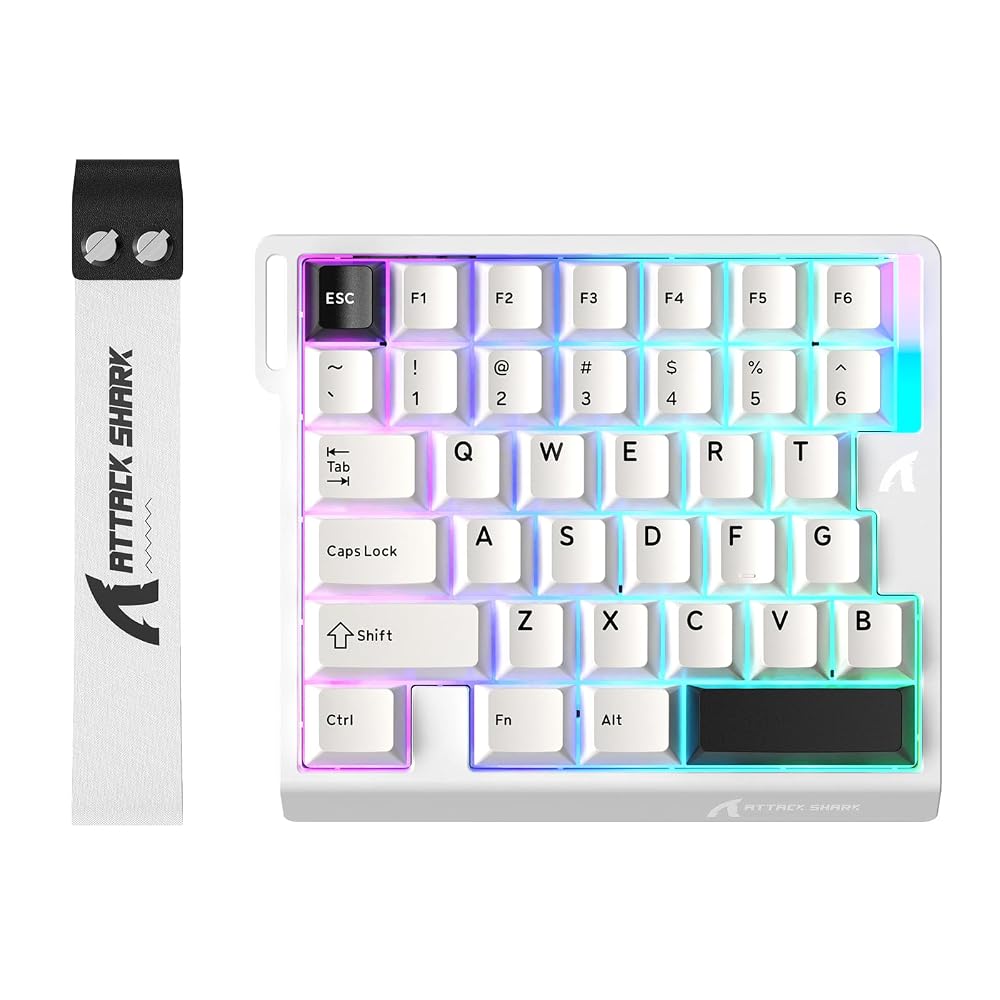
The ATTACK SHARK M36 HE one handed keyboard replaces bulky typing layouts with an ergonomic 36-key cluster. It keeps standard WASD directional buttons, number inputs, and immediate modifier keys right beneath your left hand, eliminating the 60 to 70 keys you rarely touch during matches. This compact design allows your keyboard hand and mouse hand to sit at a natural shoulder width.
According to the product specifications, this peripheral is lightweight, portable, and foldable, making it remarkably simple to slide into a gear bag for tournaments or LAN sessions. By keeping your desk uncluttered, it provides your mouse arm total freedom of motion without the risk of bumping against a sharp keyboard edge.
Hall Effect Magnetic Switches and 0.01mm Rapid Trigger
Unlike traditional mechanical boards that rely on physical metal contacts snapping together, the ATTACK SHARK M36 HE magnetic switches use Hall Effect sensors. These sensors detect electromagnetic fields to measure exactly how far down a key has traveled. This sensor architecture allows for customizable actuation points, mixed switch support, and individually tuned trigger curves tailored to each finger.
The standout feature of this setup is the ATTACK SHARK M36 HE rapid trigger capability. Instead of requiring a key to travel all the way back past a fixed reset point before registering another press, the switch resets the moment your finger starts releasing upward. With sensitivity adjustable down to 0.01mm and zero dead zones, counter-strafing, stopping on a dime, and spamming inputs occur instantly.
8000Hz Polling Rate and 0.125ms Latency
Most conventional computer accessories communicate with your operating system at a 1000Hz polling rate, checking for button presses once every millisecond. This ATTACK SHARK M36 HE Hall Effect keypad integrates a high-frequency esports chip that pushes reporting frequency up to 8000Hz alongside a 128K scan rate.
This high reporting frequency cuts input latency down to 0.125ms. In fast-twitch shooters where milliseconds determine who wins a duel, your physical inputs translate to on-screen movements with zero perceived lag, creating a smooth and immediate connection between hand movement and game action.
5-Layer Sound Dampening Architecture
Compact gaming controllers can sometimes suffer from a hollow, pinging noise due to light plastic housings. ATTACK SHARK tackles this with an internal five-layer sound dampening build consisting of PE foam, an IXPE switch pad, a PET acoustic pad, socket foam, and a PET insulation layer.
These layers work together to absorb key vibrations and mute internal resonance, giving each keystroke a refined, deep acoustic profile. Combined with wear-resistant PBT keycaps that resist finger oil and shine, the board offers a durable and satisfying feel throughout extended play sessions.
Web-Based Driver and RGB Customization
Many PC gaming peripherals require heavy, background-hogging software that consumes system memory and complicates basic adjustments. The ATTACK SHARK M36 HE avoids this by offering a convenient web-based driver that works directly through a standard web browser.
From the web portal, users can remap button assignments, fine-tune rapid trigger distances, and manage the device backlighting. The keypad includes 22 dynamic lighting modes, allowing you to personalize the visual glow of your Starlight White hardware to match the rest of your desk setup.
Specs
| Brand | ATTACK SHARK |
|---|---|
| Model | ATTACK SHARK M36 HE |
| Key Count | 36 Keys |
| Switch Type | Hall Effect Magnetic Switches (Mechanical) |
| Polling Rate | 8000Hz |
| Latency | 0.125ms |
| Rapid Trigger Adjustment | 0.01mm with Zero Dead Zone |
| Color | Starlight White |
| Acoustic Design | 5-Layer Dampening (PE Foam, IXPE, PET, Socket Foam, PET Insulation) |
| Keycap Material | PBT |
| Lighting | RGB Backlit with 22 Dynamic Modes |
| Additional Features | Foldable, Lightweight, Portable, Programmable Keys |
As published by the manufacturer on the Amazon listing.
Buy it if
Best Use Cases
- Competitive tactical shooters where micro-adjustments and counter-strafing demand instant rapid trigger resets.
- Compact desk spaces that cannot accommodate both an extra-wide mousepad and a full-size typing keyboard.
- Tournament travel setups that require a lightweight, portable gaming controller for hotel rooms or LAN venues.
- PC gaming rigs that already use a dedicated lightweight mouse like the attack shark x3 and want matching high-performance aesthetics.
Think twice if
Before You Buy
Anyone reading this ATTACK SHARK M36 HE beginner guide must understand that this keypad is built purely as a secondary controller for gaming. Because it features only 36 keys, you cannot type emails, write documents, or conduct day-to-day computing tasks on it alone. Players who use specialty simulation hardware such as the thrustmaster hotas 4 or pair their setup with an esports headset like the razer black shark v2 x will appreciate this device as a dedicated left-hand input tool, but you will still need a regular keyboard plugged into your computer for general typing.
Reviewing the ATTACK SHARK M36 HE specs shows that the keypad connects via a wired interface and comes finished in Starlight White. However, the manufacturer listing does not specify cable length, cable detachment options, or whether extra keycaps and switch pullers are included in the box. Furthermore, software update support to date is listed as unknown, meaning buyers will rely on the web driver interface for ongoing configuration.
Bottom Line
Deciding whether the ATTACK SHARK M36 HE is worth it comes down to what you play and how much desk space you have. If you play tactical first-person shooters where rapid trigger adjustments, 8000Hz polling rates, and wide mouse sweeps offer a competitive edge, this keypad delivers top-tier hardware in an ultra-compact package.
It is not a replacement for a conventional keyboard, nor is it meant for everyday desktop productivity. Instead, the ATTACK SHARK M36 HE for gaming stands out as an affordable, specialized esports tool that provides serious mechanical refinement and cutting-edge magnetic control directly to your fingertips.
FAQ
Can I use the ATTACK SHARK M36 HE as my primary keyboard?
No, the ATTACK SHARK M36 HE features only 36 keys arranged for gaming hand placement. It lacks most alphabet letters, punctuation, and functional hotkeys needed for typing sentences, browsing websites, or office productivity.
What is the benefit of magnetic switches over traditional mechanical switches?
Magnetic Hall Effect switches use sensors to track magnetic fields rather than relying on metal pins touching. This frictionless movement eliminates physical wear, enables custom actuation points, and allows rapid trigger functionality for faster resets.
How does rapid trigger help in first-person shooter games?
Rapid trigger allows a switch to reset the split-second you begin lifting your finger, without waiting for the switch to cross an arbitrary reset height. In games requiring sudden stops, counter-strafing, or rapid tapping, movement stops and starts immediately.
Do I need to install software on my computer to program the keypad?
No, the ATTACK SHARK M36 HE utilizes a web-based driver. You can configure key assignments, adjust rapid trigger sensitivities, and change RGB lighting modes through a web browser without installing background software programs.
What does an 8000Hz polling rate do?
An 8000Hz polling rate means the keypad reports keystroke data to your computer 8,000 times per second, achieving a 0.125ms response time. This ensures that inputs register with near-zero latency compared to standard 1000Hz peripherals.
What buyers say
Quoted from reviews published on the Amazon listing. We have not edited the wording.
Great!
Great for FPS games I've been using rapid trigger for the keys and it works so well. Also, it's very creamy out of the box and it feels super well built for a light half keyboard. Would recommend this for desks that are tight and specifically plays FPS games!
Detailed Review of the ATTACK SHARK M36 HE Rapid Trigger Gaming Keyboard
I recently got my hands on the ATTACK SHARK M36 HE Rapid Trigger Gaming Keyboard, and I must say, it's a solid choice for gamers looking for a one-handed design. Here are my thoughts after testing it out for a few days:- Design and Build Quality: The Starlight White finish is visually appealing and adds a nice touch…
The Perfect Example of What a One-Handed Gaming Keyboard Should Be!
The Attack Shark M36HE is an ultra compact keyboard that is specifically designed for competitive gaming! One-handed keyboards are a bit of a niche market because it's costly for manufacturers to dedicate an entire product line specifically for right-handed gamers. When manufacturers do commit to this compact keyboard format, they tend to design it in such a unique…
Where to buy
at Amazon Prime
Price taken from the listing on 18 Sep 2026 and it can change at any time. We may earn a commission if you buy through this link.
More Accessories & Peripherals
See the section


Get our picks by email
New reviews and the prices we spotted, once a week.