Minisforum N5 Pro Review: The Beginner’s Guide to Smart Home Storage
Managing family photo collections, personal records, and media libraries across several laptops and phones can quickly become overwhelming. For gift-givers seeking practical tech upgrades and newcomers wanting private cloud backups without monthly…
By Jasmine Norris 9 min read




Our verdict
Star rating left by Amazon buyers — not a score from testing of our own
The Minisforum N5 Pro delivers high-grade workstation performance inside a compact metal storage chassis, making local data backups fast and straightforward. While newcomers must budget for separate hard drives due to its diskless design, the pre-installed operating system and slide-out hardware layout remove much of the friction traditionally associated with personal server ownership.
- Next-generation AMD Ryzen AI 9 HX PRO 370 processor with 12 cores and up to 80 TOPS for smooth data retrieval and automated media cataloging
- Expansive multi-bay chassis supporting five 3.5-inch SATA hard drives alongside fast M.2 and U.2 solid-state drive slots
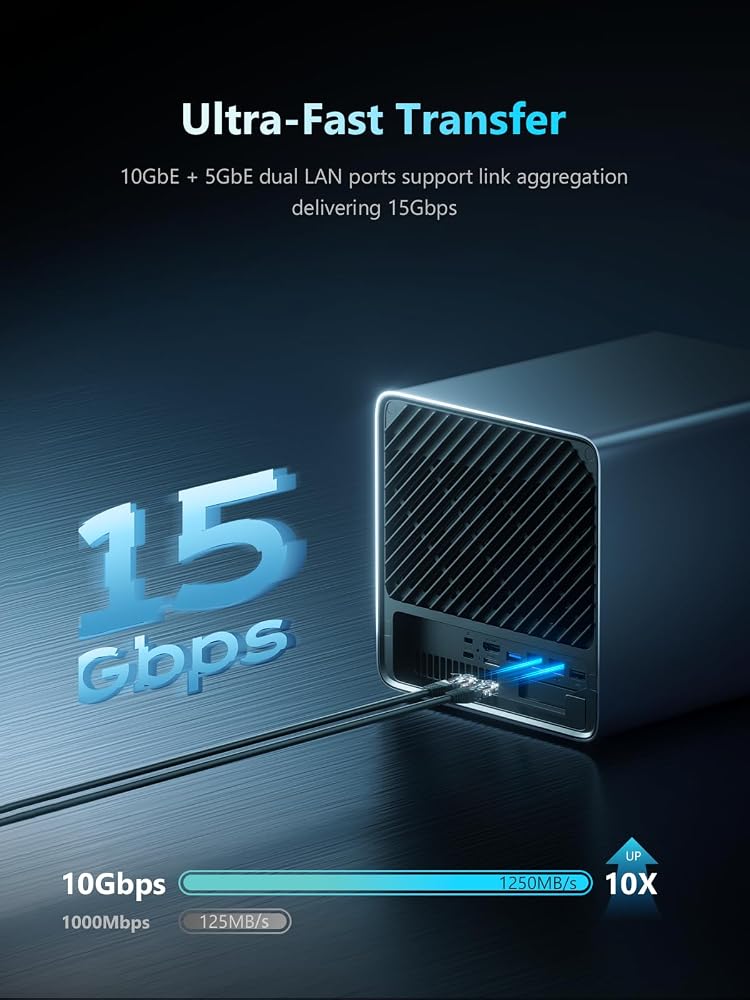
- Fast networking via dual 10GbE and 5GbE ports supporting link aggregation up to 15 Gbps speeds
- Pre-installed MinisCloud OS with dedicated client applications for Windows, macOS, iOS, and Android
Where to buy
at Amazon Prime
Price taken from the listing on 18 Sep 2026 and it can change at any time. We may earn a commission if you buy through this link.
Pros
- Powerful 12-core AMD Ryzen AI 9 processor
- Massive storage capacity up to 188TB
- Fast 10GbE and 5GbE link aggregation ports
- User-friendly pre-installed MinisCloud OS
- Convenient slide-out motherboard for easy maintenance
- Triple 8K display outputs via HDMI and USB4
Cons
- Ships diskless requiring separate hard drive purchases
- OS SSD occupies one available M.2 slot
- Reaching maximum transfer speeds requires upgraded network switches
As Amazon Associates, we earn from qualifying purchases. This means we may receive a small commission at no extra cost to you if you click through and make a purchase.
Managing family photo collections, personal records, and media libraries across several laptops and phones can quickly become overwhelming. For gift-givers seeking practical tech upgrades and newcomers wanting private cloud backups without monthly fees, network storage provides a reliable answer. The Minisforum N5 Pro enters the market as a desktop storage hub designed to gather, safeguard, and organize digital files in one secure home location.
In this Minisforum N5 Pro review, we evaluate how this powerhouse system balances advanced computing with approachable management. First-time buyers often worry about complicated command-line setups, but this model provides an intuitive platform paired with exceptional expansion capabilities. If you need dependable shared storage for your household or workspace, learning how this unit operates will help you decide if it fits your everyday routine.
Minisforum N5 Pro Features Explained
AMD Ryzen AI Processing Power
At the center of this machine is the AMD Ryzen AI 9 HX PRO 370 processor, built on modern Zen 5 and Zen 5C architecture with 12 cores and 24 threads reaching up to 5.1GHz. In standard storage appliances, basic processors can struggle when multiple family members stream videos or back up smartphones at the same time. This chip provides up to 80 TOPS of computing power, allowing the system to handle concurrent data requests without slowing down your local network.
Beyond standard file handling, this processor provides dedicated artificial intelligence acceleration. For home users with thousands of unsorted snapshots, the Minisforum N5 Pro AI NAS automatically catalogs pictures through intelligent face recognition and scene detection. Shoppers who previously explored the Minisforum AI X1 Pro-370 will recognize the benefits of this high-efficiency mobile silicon applied to continuous, energy-conscious desktop tasks.
Expansive Multi-Bay Storage Architecture
Physical storage flexibility is crucial when purchasing a long-term home hub. The Minisforum N5 Pro storage capacity reaches up to 188TB across a combination of traditional spinning drives and solid-state media. The primary drive cage features five 3.5-inch SATA bays, each capable of hosting hard drives up to 30TB. This large surface area allows households to accumulate years of home videos, document archives, and operating system backups without running out of room.
In addition to standard hard drive bays, the unit accommodates three M.2 NVMe SSD slots, or one M.2 slot paired with two enterprise-grade U.2 NVMe slots supporting configurations up to 8TB plus two 15TB modules. Solid-state drives deliver near-instantaneous responsiveness, which makes them ideal for caching frequently accessed records or hosting snappy application files. The listing notes that total digital storage capacity configurations can also be structured around 144TB setups depending on the exact drive models you install.
MinisCloud OS and Everyday Accessibility
Software often determines whether a server is welcoming or intimidating to non-technical users. The Minisforum N5 Pro MinisCloud OS comes pre-installed on an internal 128GB solid-state drive, removing the need to write disk images or execute complex terminal commands during initial initialization. Users simply connect the device to their home router, boot up the enclosure, and manage their system through an all-in-one application accessible across Windows, macOS, iOS, and Android devices.
Despite its beginner-friendly layout, the platform includes robust safety features like ZFS snapshots and LZ4 compression to preserve storage space while protecting files against accidental deletion. Multi-user isolation allows parents to establish private folders for personal finances while maintaining open directories for shared home entertainment. For users who also maintain modern mini workstations like the Minisforum Venus UM790 Pro, having a matching, dependable network target simplifies automated nightly computer backups.
Ultra-Fast Networking and Visual Connections
Transferring gigabytes of vacation footage over standard home Wi-Fi can test anyone’s patience. To address network bottlenecks, this unit incorporates one 10GbE network port alongside a secondary 5GbE port. By utilizing link aggregation across both wired connections, users can achieve combined transmission rates up to 15 Gbps. This allows creative hobbyists to edit 4K video files directly from the storage bays without copying them onto their personal laptops first.
Unlike conventional headless storage boxes that lack visual outputs, this hardware supports triple external displays. It includes an HDMI port capable of 8K resolution at 60Hz or 4K at 144Hz, as well as two high-speed USB4 ports supporting identical resolutions. These video outputs allow the device to function as a standalone personal computer or local multimedia playback station plugged directly into an office monitor or family living room display.
Tool-Friendly Slide-Out Enclosure and Memory Expansion
Physical maintenance can be intimidating for novices, but this chassis incorporates an innovative slide-out motherboard tray. Rather than forcing users to dislodge tightly packed cables inside cramped metal corners, the tray slides out smoothly to expose internal memory slots and secondary drive connections. Cooling is actively managed by dual 9025 axial fans positioned to draw heat away from the spinning hard drive bays, preserving drive health over years of continuous operation.
Memory reliability is another major highlight for long-term file safety. The motherboard features two DDR5 SO-DIMM slots clocked at 5600 MT/s, supporting up to 96GB of expandable memory with Error-Correcting Code (ECC) compatibility. ECC memory actively identifies and corrects electronic bit errors before data is permanently written to disk, preventing subtle file corruption that can otherwise ruin family photo libraries over extended archiving periods.
Specs
| Processor | AMD Ryzen AI 9 HX PRO 370 (12 cores, 24 threads, up to 5.1GHz, Zen 5+Zen 5C, up to 80 TOPS) |
|---|---|
| Operating System Drive | 128GB SSD pre-installed with MinisCloud OS |
| Hard Drive Bays | 5x 3.5-inch SATA slots (supports up to 30TB per bay) |
| Solid-State Slots | 3x M.2 NVMe SSD slots or 1x M.2 NVMe + 2x U.2 NVMe SSD slots |
| Total Capacity Potential | Up to 188TB (listing spec also notes 144TB configuration ceiling) |
| Networking Ports | 1x 10GbE LAN port + 1x 5GbE LAN port (link aggregation up to 15 Gbps) |
| Video Outputs | 1x HDMI (8K@60Hz/4K@144Hz) + 2x USB4 (8K@60Hz/4K@144Hz) |
| Memory Capacity | 2x DDR5 SO-DIMM slots (5600 MT/s), expandable up to 96GB ECC RAM |
| Expansion Slots | 1x PCIe x16 slot, 1x OCuLink port (PCIe 4.0 x4, 64G) |
| Chassis Build and Cooling | Black metal desktop enclosure with dual 9025 axial cooling fans |
As published by the manufacturer on the Amazon listing.
Buy it if
Best Use Cases
- Consolidating scattered family photos and phone videos into an automated private backup repository accessible from mobile devices.
- Serving as a shared editing scratch disk for video producers needing simultaneous high-speed 10GbE local file transfers.
- Providing multi-user file isolation and shared team project folders for remote creative agencies and small businesses.
- Powering a silent desktop workstation or media streamer connected directly to an 8K television or multi-monitor desk setup.
- Hosting private home office cloud containers via Docker while maintaining error-corrected data security across five mechanical hard drives.
Think twice if
Before You Buy
Before purchasing this hardware, potential owners should understand that the machine ships diskless. You will need to buy 3.5-inch SATA hard drives or solid-state drives separately, as mechanical storage is not bundled inside the box. Furthermore, while the system includes an internal 128GB solid-state drive that houses the operating system, this module occupies one of the three internal M.2 slots. If your future expansion plan requires utilizing all three M.2 slots for secondary storage arrays, you must uninstall or migrate the pre-installed boot drive yourself.
Prospective buyers should also review their home networking gear to fully enjoy the unit’s fast data transfer speeds. Connecting the 10GbE or 5GbE ports to a standard gigabit router will work, but file transfer rates will be restricted by the slower router ports until you upgrade your network switch. Shoppers comparing compact ecosystem machines like the Apple Mac Neo for daily home computing should note that this unit is primarily an expandable network server, though its display outputs and PCIe expansion slots give it remarkable flexibility beyond standard single-purpose storage boxes.
Bottom Line
Evaluating whether the Minisforum N5 Pro is worth it comes down to your household storage demands and comfort with hardware selection. While the initial setup requires installing your own storage disks, the inclusion of a slide-out tray, pre-configured software, and automated mobile syncing makes it far friendlier than traditional DIY server builds. It eliminates ongoing cloud subscription costs while granting total ownership over your precious digital memories.
For home offices and creative freelancers needing massive archival space paired with modern artificial intelligence indexing, this machine provides an exceptional hardware foundation. Its combination of Ryzen AI processing, 10GbE network speeds, triple 8K display capability, and robust metal construction ensures it will remain a central pillar of your digital workflow for years to come.
FAQ
Is the Minisforum N5 Pro easy to set up for complete beginners?
Yes, the Minisforum N5 Pro setup process is designed to be accessible even for first-time server owners. Because MinisCloud OS comes pre-installed on a dedicated internal 128GB solid-state drive, you do not need to flash operating system software onto thumb drives. Once you slide your mechanical hard drives into the physical bays and connect the network cable, the companion phone and desktop apps guide you through storage setup with zero required command-line knowledge.
Does the Minisforum N5 Pro include hard drives in the box?
No, this model is sold as a diskless enclosure. While it includes the internal 128GB system SSD containing the operating system, all 3.5-inch mechanical hard drives and supplemental high-speed NVMe drives must be purchased separately based on your specific capacity needs.
Can the Minisforum N5 Pro be used directly as a personal computer?
Yes, the unit features one HDMI port and two USB4 ports capable of driving up to three independent 8K or 4K displays simultaneously. Thanks to its 12-core AMD Ryzen AI processor, users can plug in a monitor, keyboard, and mouse to use the system directly rather than managing it solely through a remote network browser.
How does ECC memory help protect stored files?
Error-Correcting Code memory actively scans for and fixes minor electronic bit flips that can occur during data processing. In a home storage server holding family records and long-term photo archives, ECC memory prevents corrupted information from being permanently saved onto your hard drives, safeguarding the integrity of your media.
What purpose does the OCuLink port serve on this device?
The OCuLink interface provides a high-speed PCIe 4.0 x4 external connection running at up to 64 Gbps. This port allows users to connect an external discrete graphics card, significantly boosting processing power for advanced artificial intelligence workloads, rendering tasks, or graphics-heavy applications without modifying the main chassis.
Where to buy
at Amazon Prime
Price taken from the listing on 18 Sep 2026 and it can change at any time. We may earn a commission if you buy through this link.
More Computers & Laptops
See the section


Get our picks by email
New reviews and the prices we spotted, once a week.