Synology DiskStation DS224+ NAS: The Complete Beginner Guide
Running out of digital space is a modern headache that catches almost every family off guard. Between high-resolution smartphone cameras, 4K home video clips, and scattered work files across multiple laptops, personal…
By Reid Wallace 8 min read
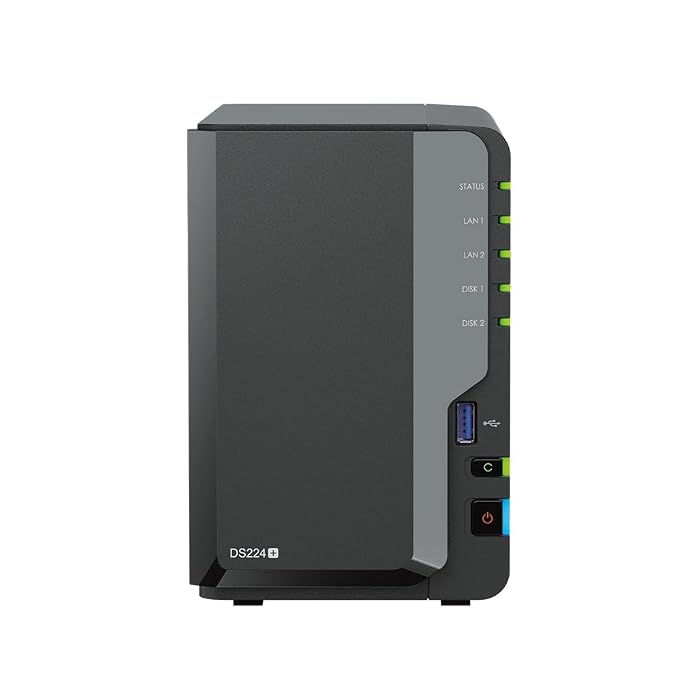


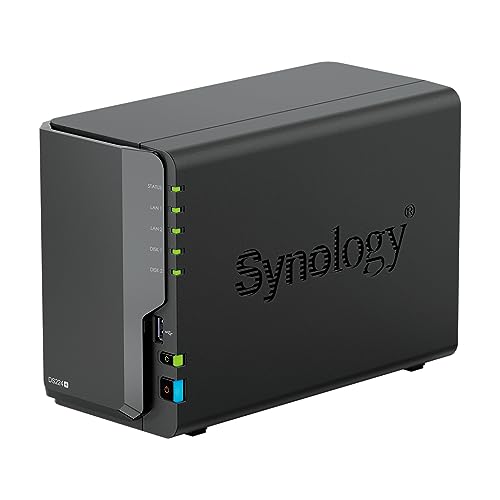
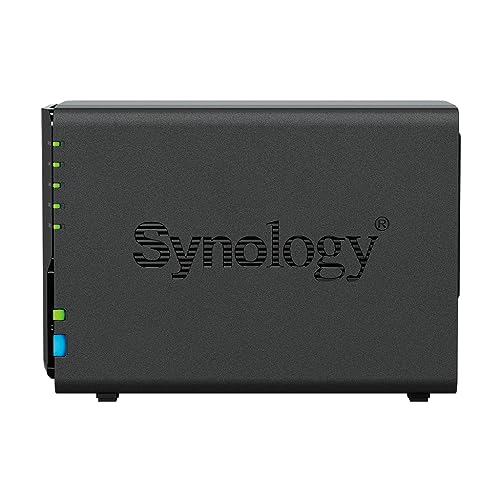
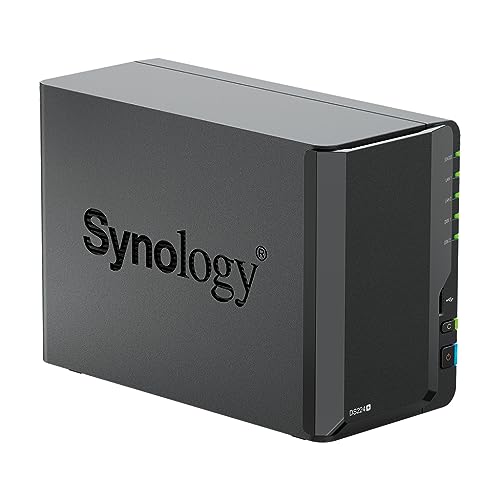
Our verdict
Star rating left by Amazon buyers — not a score from testing of our own
The Synology DS224+ is a capable, quiet, and remarkably energy-conscious home server that simplifies private storage for families, remote professionals, and first-time server owners alike.
- Turnkey storage package arriving with two 4TB hard drives providing 8TB of raw high-capacity storage.
- Upgraded 6GB DDR4 non-ECC memory allows seamless photo indexing and smooth multitasking across home users.
- Remarkably modest power draw operating as low as 15 watts to keep electric utility impact minimal.
- User-friendly Synology DSM software delivers intuitive phone backups and automated desktop protection.
Where to buy
at Amazon Prime
Price taken from the listing on 18 Sep 2026 and it can change at any time. We may earn a commission if you buy through this link.
Pros
- Pre-installed 8TB storage ready out of the box
- Upgraded 6GB DDR4 memory handles multitasking smoothly
- Frugal operational power consumption as low as 15 watts
- Intuitive Synology DSM software designed for beginners
- Dual 1GbE network ports support link aggregation and failover
Cons
- Two-bay chassis limits future physical drive expansion
- Networking capped at 1GbE speeds without 10GbE support
- Single power supply provides no hardware power redundancy
As Amazon Associates, we earn from qualifying purchases. This means we may receive a small commission at no extra cost to you if you click through and make a purchase.
Running out of digital space is a modern headache that catches almost every family off guard. Between high-resolution smartphone cameras, 4K home video clips, and scattered work files across multiple laptops, personal data ends up fragmented across various expensive monthly cloud subscription services. For households and remote workers looking for a permanent, centralized home repository, the Synology DS224+ provides an independent network attached storage server designed to keep all your irreplaceable memories and documents securely under your own roof.
This comprehensive synology nas ds224+ review explores how this compact two-bay network server transforms confusing networking hardware into an approachable home utility. Configured with an Intel Celeron quad-core processor, an upgraded 6GB memory allocation, and 8TB of total storage straight out of the box, this package represents an ideal starting point for beginners who want automatic device backup without recurring monthly cloud fees.
Synology DS224+ Features Explained
Intel Celeron J4125 Quad-Core Processor and 6GB Memory
At the center of this compact server sits the Synology DS224+ Celeron J4125 quad-core chip. Operating at a baseline clock speed of 2.0GHz with burst speeds reaching up to 2.7GHz turbo, this processor gives the system ample horsepower to organize dense digital files. In practical terms, this processing capability allows the server to index thousands of family photographs, manage personal file libraries, and manage media transcoding tasks smoothly without sluggish delays.
While base units often come with minimal RAM, this specific package arrives with 6GB DDR4 non-ECC SODIMM memory. That extra headroom makes a noticeable difference when multiple family members access their files at the same time. Compared to earlier entry-level units like the synology ds220 nas, this quad-core setup provides faster application load times, responsive file indexing in Synology Drive, and smooth execution of on-device web tools.
Pre-Installed 8TB High-Capacity Storage
Setting up private storage can feel intimidating when you have to choose bare hard drives, check compatibility tables, and use screwdrivers before you even plug the device into a wall outlet. This synology diskstation ds224+ 8tb package eliminates that barrier by including two 4TB 6Gb/s SATA hard disk drives inside the sealed retail chassis. These drives give you immediate access to substantial centralized capacity for desktop backups, documents, and media archives.
Underneath the hood, the system formats storage using modern file architectures, offering support for both Btrfs and EXT4. The advanced Btrfs file system brings peace of mind to home users by providing point-in-time file snapshots and data integrity protection. This helps shield your valuable personal records against silent data corruption, ensuring your archives remain intact over years of storage.
Synology Photos and Home Photo Backup
One of the primary reasons households adopt the Synology DS224+ for beginners is to solve phone storage limits. The integrated Synology Photos mobile application automatically syncs photos and videos from iOS and Android devices over Wi-Fi whenever you step into your home. This functionality delivers the convenience of commercial cloud photo apps without charging monthly recurring fees or subjecting private family memories to external third-party scanning.
Because the unit pairs a quad-core processor with 6GB of system memory, the synology ds224+ home photo backup workflow operates quickly. The server indexes media assets in the background, categorizing portraits, travel timelines, and locations so you can locate specific vacations or milestones through a clear visual timeline. Sharing albums with grandparents or friends requires only generating a secure private link directly from your own home server.
Synology DSM and Private Cloud Data Management
The core software powering the unit is DiskStation Manager, widely known as DSM. Designed to mimic a familiar, user-friendly desktop operating system within any web browser, DSM removes the intimidation factor from home networking. Rather than forcing you to memorize complex command prompts, it lets you install applications, adjust user permissions, and check storage capacity through intuitive icons and graphical menus.
Through Synology Drive, the system establishes a full synology ds224+ private cloud that synchronizes vital work spreadsheets and school projects across Mac, Windows, and mobile devices in real time. Backups run silently in the background, and built-in utilities like Security Advisor actively scan your device settings to recommend safety enhancements and protect your private network from unauthorized access.
Dual 1GbE Networking, Surveillance, and Low Power Draw
On the rear of the black metal chassis, you will find two RJ-45 1GbE LAN ports supporting Link Aggregation and network failover. Link aggregation allows two network connections to share traffic for smoother simultaneous access, while failover ensures that your private cloud stays reachable even if one physical ethernet cable is disconnected. Additionally, two high-speed USB 3.2 ports let you plug in external portable hard drives for quick secondary archives.
Beyond daily computer backups, the platform functions as an on-site video recorder via Synology Surveillance Station to safeguard your property. Homeowners who monitor multiple cameras can scale their setup with an add-on synology surveillance station license to preserve security footage directly onto their private drives. Despite this 24/7 capability, the synology ds224+ power consumption remains exceptionally frugal, drawing as little as 15 watts during regular operational tasks so running it continuously will not strain your household electric bill.
Specs
| Processor | Intel Celeron J4125 4-Core (2.0GHz base, up to 2.7GHz turbo) |
|---|---|
| System Memory | 6GB DDR4 non-ECC SODIMM |
| Included Storage | 8TB total capacity (2 x 4TB 6Gb/s SATA HDDs) |
| Networking Ports | 2 x RJ-45 1GbE LAN (with Link Aggregation and Failover) |
| Expansion Ports | 2 x USB 3.2 Ports |
| Supported Internal File Systems | Btrfs, EXT4 |
| Operating System | Synology DSM (DiskStation Manager) |
| Typical Power Usage | Operational power usage as low as 15 watts |
| Enclosure Construction | Black metal chassis, desktop tower form factor |
| UPC Code | 840104358542 |
As published by the manufacturer on the Amazon listing.
Buy it if
Best Use Cases
- Consolidating scattered personal phone libraries into an automated home photo backup center without cloud rental fees.
- Providing multi-computer households with centralized, automated desktop backups that safeguard work documents against hardware failures.
- Establishing a private cloud sync station to access school papers, tax records, and creative projects from anywhere in the world.
- Serving local media throughout the house in a dedicated 4K multimedia server role connected directly to home smart devices.
- Recording local security footage continuously around the clock while consuming as little as 15 watts of baseline power.
Think twice if
Before You Buy
Before bringing this system home, evaluate your long-term storage needs and home network arrangement. The DS224+ is a two-bay tower server, meaning it houses exactly two 3.5-inch or 2.5-inch SATA hard drives. While the included 8TB capacity provides plenty of space for family photos and computer backups, those needing massive multi-terabyte arrays for extensive video production workflows might want to consider larger four-bay alternatives such as the synology diskstation ds423 4-bay nas before settling on a two-bay footprint.
It is also worth noting practical connectivity requirements. The server connects directly to your home router or network switch using an ethernet cable rather than built-in Wi-Fi. The retail packaging includes the sealed NAS tower chassis, pre-installed storage drives, and a single power supply unit. However, the listing does not specify the exact brand of the internal SATA hard drives, nor does it detail the specific category rating of any included network patch cables.
Bottom Line
When asking is synology ds224+ worth it, the answer comes down to peace of mind, digital sovereignty, and ease of ownership. For years, setting up home storage meant assembling raw hardware, learning complex network configuration protocols, and managing difficult drive partitions. This ready-to-run package removes those friction points entirely by providing an 8TB storage foundation and 6GB of system RAM inside a sturdy, metal chassis managed by intuitive DSM software.
Whether you are buying a helpful tech gift for parents tired of monthly storage subscription alerts or seeking a quiet, dependable backup hub for your own home office, the Synology DS224+ offers the ideal balance of performance and beginner-friendly usability. It organizes your files, safeguards family photos, and operates continuously on minimal power, making it one of the most practical home hardware investments available.
FAQ
Is the Synology DS224+ easy for beginners to set up?
Yes, the setup experience is tailored specifically for non-technical users. Because this bundle arrives with the 8TB hard drives already installed inside the sealed box, you simply plug the server into your power outlet and router, navigate to find.synology.com in your web browser, and follow the animated on-screen instructions to initialize the DSM operating system.
What is the benefit of the Synology DS224+ Celeron J4125 processor?
The quad-core Intel Celeron J4125 processor delivers reliable multitasking power with speeds up to 2.7GHz turbo. This ensures fast thumbnail generation when backing up phone photos, responsive search queries across documents in Synology Drive, and smooth handling of multimedia server roles without slowing down other network tasks.
How does the Synology DS224+ handle home photo backup?
Home photo backup operates via the Synology Photos mobile application. Once installed on your family smartphones, the app automatically uploads new photos and videos directly to your private DS224+ server whenever your phone connects to Wi-Fi, freeing up phone storage without sending your pictures to public third-party clouds.
What is the power consumption of the Synology DS224+?
The unit is engineered for continuous 24/7 operation and boasts an operational power draw as low as 15 watts. This low electricity demand ensures you can keep desktop backups, surveillance video, and personal files continuously accessible day and night without causing a noticeable spike in your monthly utility costs.
Can I access my files on the Synology DS224+ when away from home?
Yes, Synology DSM features built-in remote access tools such as Synology Drive and QuickConnect. These services allow you to safely log into your private server, retrieve documents, stream home videos, and view photo albums from laptops, tablets, and smartphones anywhere with an active internet connection.
Where to buy
at Amazon Prime
Price taken from the listing on 18 Sep 2026 and it can change at any time. We may earn a commission if you buy through this link.
More PC Components & Storage
See the section


Get our picks by email
New reviews and the prices we spotted, once a week.