Acer Nitro 5 AN515-58 Review: A Beginner-Friendly Gaming Rig
Finding the right gaming computer for someone new to PC gaming can feel intimidating, especially when shopping for a gift or setting up a first-time battlestation. Modern computer specifications are filled with…
By Jasmine Norris 9 min read



Our verdict
Star rating left by Amazon buyers — not a score from testing of our own
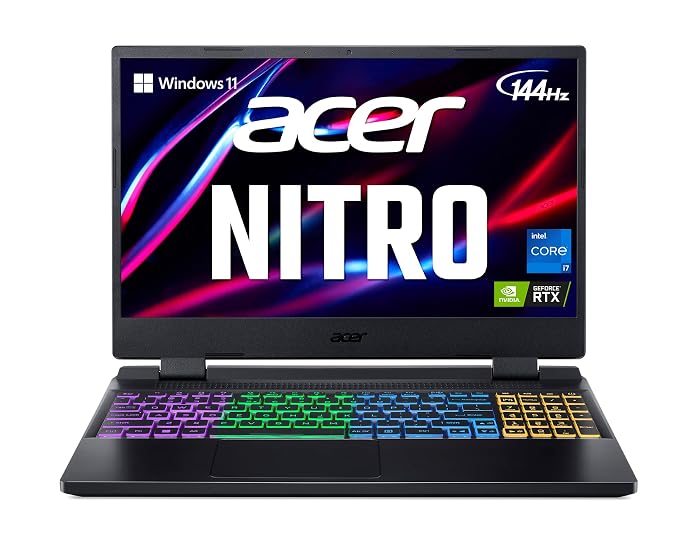
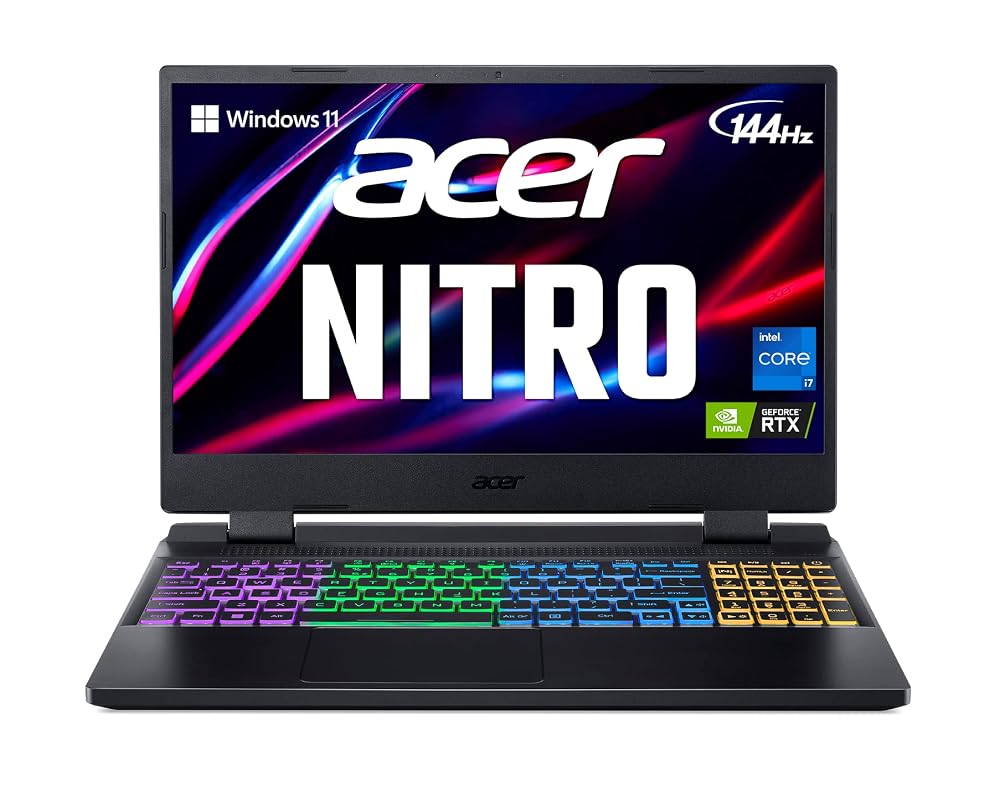
The Acer Nitro 5 AN515-58 delivers dependable mid-tier gaming power, smooth visual responsiveness, and practical upgrade potential housed within an accessible, easy-to-manage package for first-time PC gamers.
- Responsive 144Hz Full HD screen paired with a dedicated NVIDIA GeForce RTX 3060 graphics card for fluid visual performance.
- Substantial 12th Gen Intel Core i7 processing power capable of handling demanding games, multitasking, and creative software.
- Accessible internal expansion options, including an open memory slot, a second M.2 SSD slot, and an available 2.5-inch hard drive bay.
- One-touch NitroSense hardware monitoring dashboard allowing beginners to oversee fan speeds and component temperatures effortlessly.
Where to buy
at Amazon Prime
Price taken from the listing on 18 Sep 2026 and it can change at any time. We may earn a commission if you buy through this link.
Pros
- Fast 144Hz IPS display with 3ms response
- Dedicated NVIDIA GeForce RTX 3060 graphics
- Hardware MUX switch for improved gaming performance
- Expandable memory and dual M.2 SSD slots
- Dedicated NitroSense thermal control button
Cons
- Heavier chassis at over 5.5 pounds
- Modest 57.5 Watt Hour battery capacity
- Cooling fans become audible under heavy load
As Amazon Associates, we earn from qualifying purchases. This means we may receive a small commission at no extra cost to you if you click through and make a purchase.
Finding the right gaming computer for someone new to PC gaming can feel intimidating, especially when shopping for a gift or setting up a first-time battlestation. Modern computer specifications are filled with technical jargon like core counts, refresh rates, and dedicated graphics memory, making it difficult for parents, relatives, or newcomers to determine which machine actually delivers an enjoyable experience without unnecessary complexity. The Acer Nitro 5 AN515-58 is designed to solve this exact problem by pairing capable, modern hardware with accessible controls, offering an inviting entry point into modern PC gaming. If you are searching for an approachable rig that handles popular contemporary titles right out of the box, understanding how this machine balances everyday usability and gaming horsepower makes choosing the right setup straightforward.
Our verdict on this laptop is that it serves as an exceptionally well-rounded, user-friendly gaming machine for newcomers and casual players alike. By combining a 12th Gen Intel processor with dedicated NVIDIA graphics and a rapid display, it eliminates the guesswork of whether modern titles will run properly. While its physical profile leans on the heavier side and demanding gaming sessions naturally drain the battery quickly, its straightforward thermal utilities, generous port selection, and accessible expansion bays make the Acer Nitro 5 for beginners a reliable investment that can grow alongside the player’s skills and interests.
Acer Nitro 5 AN515-58 Features Explained
Dedicated Graphics and Processing Muscle
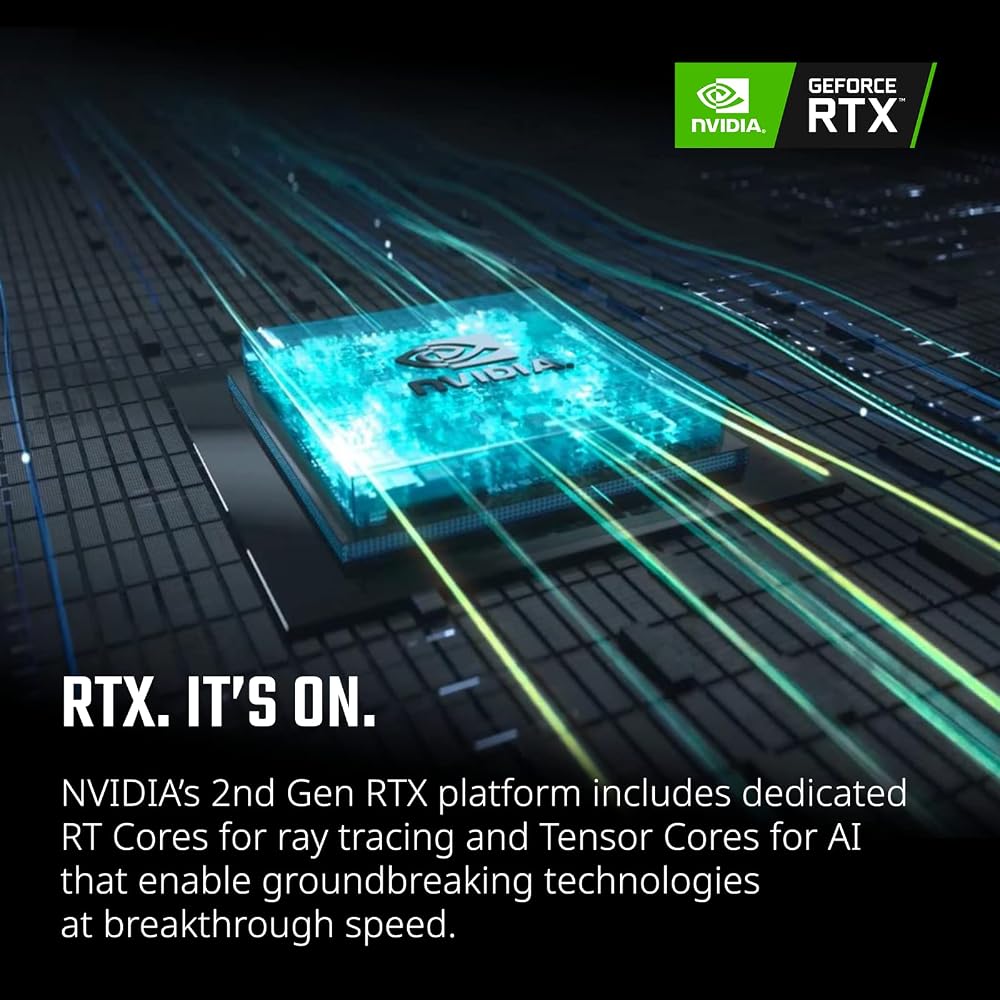
At the center of any capable gaming setup is the processing engine, and this laptop pairs an Intel Core i7-12700H processor with an NVIDIA GeForce RTX 3060 laptop graphics processor. In simple terms, the central processor handles the calculations, game physics, and background software, while the dedicated graphics chip with 6GB of GDDR6 video memory paints every visual frame on screen. This dedicated setup means the machine does not rely on weaker shared memory, ensuring that visual assets load quickly. When evaluating the Acer Nitro 5 AN515-58 for gaming, this pairing provides plenty of computational strength to run modern releases smoothly with advanced graphical features like ray tracing and AI-powered image scaling via DLSS.
Acer also includes a specialized hardware component known as a MUX switch. In standard gaming laptops, visual data often routes through the processor’s basic integrated graphics before reaching the screen, which creates a slight performance bottleneck. With the included MUX switch, the integrated graphics can be bypassed entirely so the Acer Nitro 5 AN515-58 RTX 3060 talks directly to the display, maximizing frame rates during intense competitive matches. If you are comparing this machine to previous generations such as an older acer nitro 5 i7 build, the addition of the MUX switch and 12th Gen architecture offers a tangible step up in gaming consistency.
Smooth Visuals on a Fast Display
When playing fast-paced games, having a screen that refreshes quickly makes virtual action look crisp rather than blurry. The Acer Nitro 5 AN515-58 display quality stands out thanks to its 15.6-inch Full HD In-Plane Switching (IPS) panel, which features a 144Hz refresh rate and a rapid 3ms response time. Standard office laptops usually refresh at 60Hz, meaning this gaming panel refreshes more than twice as often every second. The result is fluid motion that makes tracking moving targets or navigating detailed game environments significantly easier on the eyes.
The screen also includes an anti-glare coating, helping to reduce reflections from overhead lamps or nearby windows. IPS technology provides wide viewing angles, so the image remains clear even if the player shifts in their chair or shows gameplay to a friend sitting beside them. While competitive players wanting a massive desktop setup might eventually pair the laptop with an external display like an individual monitor acer nitro, the built-in screen provides plenty of clarity and responsiveness for everyday play right out of the box.
Intelligent Cooling Architecture and NitroSense Control
High-performance gaming laptops generate heat when running demanding software, making effective thermal management essential for sustained performance. The Acer Nitro 5 AN515-58 cooling system tackles this challenge using a dual-fan layout supported by dual air intakes on both the top and bottom of the chassis, along with four individual exhaust ports. This engineered airflow keeps cool air moving across critical components and exhausts hot air out the sides and rear, preventing the hardware from throttling performance during extended sessions.
For beginner users who might feel anxious about component temperatures, Acer provides the NitroSense management interface, which launches instantly via a dedicated physical key on the keyboard. This intuitive dashboard gives users a clear, graphic view of component temperatures, fan rotation speeds, power plans, and loading performance without needing third-party software. Beginners can leave the fans on automatic control or adjust speeds manually when jumping into demanding games, giving them complete peace of mind.
Expandable Memory and Dual-Drive Storage
Modern video games require significant storage space, often taking up dozens or even hundreds of gigabytes per install. Out of the box, this laptop includes 16GB of DDR4 3200MHz RAM and a 512GB PCIe Gen 4 solid-state drive. For newcomers, 16GB of memory is the ideal baseline that allows games, voice chat applications, and web browsers to run simultaneously without stutters, while the Gen 4 solid-state drive ensures rapid boot times and quick level loading.
Where this laptop truly excels for long-term ownership is in the Acer Nitro 5 AN515-58 upgrade options. The motherboard houses two DDR4 memory slots that support up to 32GB total memory, alongside two PCIe M.2 slots and an available 2.5-inch hard drive bay. While newer compact designs like the laptop acer nitro v15 emphasize slim profiles, this Nitro 5 chassis gives owners the freedom to drop in additional solid-state drives or extra memory down the road without replacing the entire computer.
Reliable Networking and Flexible Accessory Ports
Smooth online gaming requires a stable internet connection with minimal lag. Acer integrates Killer DoubleShot Pro technology, combining an Ethernet E2600 wired port with Killer Wi-Fi 6 1650 wireless connectivity. This system intelligently prioritizes gaming traffic over background downloads and allows users to utilize Wi-Fi and Ethernet simultaneously, helping prevent frustrating lag spikes or mid-game disconnections during online matches.
Connecting gaming peripherals like mice, headsets, and controllers is equally convenient thanks to an extensive array of input and output ports. The laptop features a Thunderbolt 4 USB Type-C port capable of up to 10 Gbps speeds with DisplayPort and charging support, three standard USB Type-A ports (one featuring power-off charging), an HDMI 2.1 port with HDCP support for external screens, and an audio line-out jack. A built-in four-zone RGB keyboard adds customizable lighting that lets gamers personalize their setup, while the front-facing camera facilitates video calls with teammates and family.
Specs
| Processor | 12th Gen Intel Core i7-12700H |
|---|---|
| Graphics Processor | NVIDIA GeForce RTX 3060 (6GB GDDR6 VRAM) |
| Display | 15.6-inch Full HD (1920 x 1080) IPS, 144Hz, 3ms, Anti-Glare |
| System Memory | 16GB DDR4 3200MHz (2 slots total, up to 32GB supported) |
| Storage Drive | 512GB PCIe Gen 4 SSD (2 x M.2 slots, 1 x 2.5-inch hard drive bay) |
| Networking | Killer Wi-Fi 6 1650 and Killer Ethernet E2600 |
| Operating System | Windows 11 Home |
| Battery | Lithium Ion 57.5 Watt Hour Battery |
| Dimensions and Weight | 14.19 inches W x 10.67 inches D x 1.06 inches H; 5.51 pounds |
| Video Outputs | 1 x HDMI 2.1 with HDCP, 1 x USB Type-C (Thunderbolt 4 and DisplayPort) |
As published by the manufacturer on the Amazon listing.
Buy it if
Best Use Cases
- Playing fast-paced multiplayer titles where high frame rates and a 144Hz refresh rate provide smooth, responsive visuals.
- Serving as a dual-purpose school and gaming laptop capable of handling productivity, web research, and gaming in one machine.
- Exploring modern graphical adventures utilizing real-time ray tracing and DLSS image enhancement.
- Operating as an introductory desktop replacement when connected to an external monitor, mouse, and keyboard.
Think twice if
Before You Buy
Before purchasing this laptop, consider how the player plans to use the machine day to day. With dimensions of 14.19 inches wide, 10.67 inches deep, and 1.06 inches thick, alongside a weight of 5.51 pounds, this is a full-sized gaming laptop rather than an ultra-slim travel notebook. It is well-suited for a dedicated desk setup or moving between rooms, but daily commuting in a backpack will be noticeable. The laptop offers broad compatibility with external displays, gaming mice, keyboards, printers, and storage drives via USB, HDMI, Thunderbolt, Bluetooth, and Wi-Fi. While newer designs such as the acer nitro v16 exist across Acer’s wider gaming portfolio, this specific model offers a tested balance of standard DDR4 memory and traditional chassis expansion.
Buyers should also evaluate expectations regarding power and battery life. The Acer Nitro 5 AN515-58 battery life relies on a 57.5 Watt Hour lithium-ion pack, which is typical for mid-tier gaming portables. However, when the dedicated graphics card and high-refresh screen run at full capacity, the battery drains rapidly, making it best practice to keep the laptop connected to its 240-volt power source during gameplay. Finally, what the listing does not include or specify is worth noting: the listing does not specify the exact resolution of the front-facing camera, color gamut percentages like sRGB coverage, or an exact runtime in hours on battery power. The package includes the laptop and primary charging hardware, but does not include bundled accessories like a gaming mouse, headset, or protective sleeve.
Bottom Line
When asking if the Acer Nitro 5 AN515-58 is worth it, the answer depends largely on what the recipient needs from their first gaming PC. For first-time gamers and gift-recipients stepping away from basic consoles or standard family laptops, this machine delivers an ideal blend of graphics power, smooth screen performance, and dependable build quality. It avoids the intimidating setup processes of custom-built desktop towers while delivering genuine gaming capabilities powered by its dedicated RTX 3060 GPU and Core i7 processor.
Between its user-friendly NitroSense hardware dashboard, extensive physical port selection, and accessible storage bays for future expansion, this model represents a practical, long-lasting investment. It provides everything a newcomer needs to start gaming immediately while leaving room to grow as their library expands.
FAQ
Can the Acer Nitro 5 AN515-58 run modern PC games smoothly?
Yes. Powered by the 12th Gen Intel Core i7-12700H and an NVIDIA GeForce RTX 3060 graphics card with 6GB of GDDR6 memory, this laptop is fully capable of running modern titles at Full HD resolution with smooth frame rates and support for DirectX 12 Ultimate.
Can I upgrade the RAM and storage on this laptop?
Yes. The laptop comes configured with 16GB of DDR4 memory and supports up to 32GB across its two slots. For storage, it includes a 512GB PCIe Gen 4 SSD and provides space for expansion via a second M.2 PCIe slot as well as an available 2.5-inch hard drive bay.
What is a MUX switch and why is it helpful for beginners?
A MUX switch allows the laptop to route graphics directly from the dedicated NVIDIA RTX 3060 GPU straight to the display, bypassing the slower integrated processor graphics. This direct pipeline reduces latency and increases frame rates in games without requiring complex technical tuning.
How long does the battery last while gaming?
The laptop houses a 57.5 Watt Hour lithium-ion battery. While the listing does not specify an exact runtime in hours, dedicated gaming components consume significant energy, meaning battery life is limited during intensive gaming sessions. Players should keep the laptop plugged into wall power for peak performance and uninterrupted play.
Does the keyboard feature custom lighting?
Yes. The Acer Nitro 5 AN515-58 features an integrated RGB keyboard that illuminates the keys, making it easy to type and game in low-light environments while adding a classic gaming aesthetic.
Where to buy
at Amazon Prime
Price taken from the listing on 18 Sep 2026 and it can change at any time. We may earn a commission if you buy through this link.
More Computers & Laptops
See the section


Get our picks by email
New reviews and the prices we spotted, once a week.