Synology DS925+ NAS: A Simple Guide to Centralized Home Backup
When family members take thousands of photos on their phones, save school projects across laptops, and stream home video clips to the living room, digital clutter becomes overwhelming very quickly. Portable external…
By Reid Wallace 9 min read




Our verdict
Star rating left by 155 Amazon buyers — not a score from testing of our own
The Synology DS925+ strikes an appealing balance between straightforward everyday usability and long-term expandability, making it an outstanding candidate for households managing multiple personal devices.
- Four primary drive bays offer ample room for personal media and automatic computer backups, with support for up to nine drives using a separate expansion unit.
- Dual 2.5GbE ports accelerate file transfers across compatible home local networks compared to traditional gigabit connections.
- Built-in dual M.2 NVMe slots allow users to add fast caching storage without sacrificing any of the four standard hard drive bays.
- Synology DiskStation Manager operating software delivers beginner-friendly tools for automated photo synchronization, data protection, and media organization.
Where to buy
at Amazon
Price taken from the listing on 18 Sep 2026 and it can change at any time. We may earn a commission if you buy through this link.
Pros
- Four drive bays expandable up to nine
- Dual 2.5GbE high-speed networking ports
- Two dedicated M.2 NVMe caching slots
- Sequential speeds up to 522/565 MB/s
- Backed by 3-year limited hardware warranty
Cons
- Drives not included in diskless package
- Requires drives on official compatibility list
- Expansion unit sold separately
As Amazon Associates, we earn from qualifying purchases. This means we may receive a small commission at no extra cost to you if you click through and make a purchase.
When family members take thousands of photos on their phones, save school projects across laptops, and stream home video clips to the living room, digital clutter becomes overwhelming very quickly. Portable external hard drives are easy to misplace or damage, and third-party subscription clouds often charge recurring monthly fees while scattering personal files across multiple remote servers. A network-attached storage system solves this dilemma by placing a centralized, private data locker right inside your home, connecting straight to your local router so every desktop, laptop, iPhone, and Android device can save files to a single physical location. The Synology DS925+ is designed to handle this exact workload, giving households an organized, multi-bay storage hub that stays under your direct supervision.
Research into the specifications and capabilities reveals that this four-bay enclosure delivers an approachable yet remarkably expandable solution for households seeking reliable data safety. With built-in high-speed networking and room to grow as your file libraries expand, configuring a dedicated synology ds925+ home backup system provides genuine peace of mind for first-time builders who want private data management without enterprise complexity.
Synology DS925+ Features Explained
Four Drive Bays with Long-Term Expansion
For someone stepping into network storage for the first time, understanding drive bays is straightforward: each bay is a physical slot that holds a standard storage hard drive. The synology ds925+ 4 bay nas gives you four separate slots to populate, which allows you to establish storage redundancy. Redundancy means that if one physical hard drive ever stops working due to age or mechanical wear, the system retains your pictures and documents safely on the remaining drives, giving you time to swap out the broken disk without suffering complete data loss.
What makes this enclosure especially friendly for forward-thinking buyers is its scalability. While smaller units like a two-bay synology nas ds224+ provide a fixed ceiling of two hard drives, the Synology DiskStation DS925+ can grow from four drives all the way up to nine total drives when paired with an official expansion unit. That means you do not have to replace the central enclosure when your family photos, home video archives, and work files eventually outgrow the initial four hard drives.
Dual 2.5GbE Networking for High-Speed Transfers
Traditional home networking gear has relied on standard 1GbE network jacks for years, which restricts transfer speeds to roughly one hundred megabytes per second. The synology ds925+ 2.5gbe architecture features two distinct 2.5GbE ports on the rear of the unit. These upgraded connections provide much wider data pipes, letting you move large family video files or heavy backup archives between your desktop computer and the storage server substantially faster than older network hardware allows.
Having dual networking ports also introduces network redundancy. If one network cable is unplugged or fails, the secondary port keeps the server online. For busy households where multiple family members might be uploading phone photos, streaming music, or backing up laptops at the exact same time, this multi-port configuration keeps network congestion to a minimum and maintains steady, uninterrupted performance.
Dedicated Dual M.2 NVMe Caching Slots
Mechanical hard drives are excellent at storing massive amounts of family photos and movies, but they are slower at finding tiny, scattered files like application data, database indexes, or photo thumbnails. Synology addresses this by building two dedicated M.2 NVMe slots directly into the DS925+ chassis. These slots accept compact solid-state memory modules that function as a high-speed buffer, often referred to as a cache.
Because these M.2 slots are separate from the main four hard drive bays, you do not have to sacrifice any of your primary storage capacity to enjoy solid-state speeds. The system automatically identifies the files and thumbnail libraries your family accesses most frequently and keeps quick-read copies in the solid-state cache. This results in snappier photo browsing on mobile phones and near-instant folder indexing on connected laptops.
Synology DiskStation Manager for Photos and Multimedia
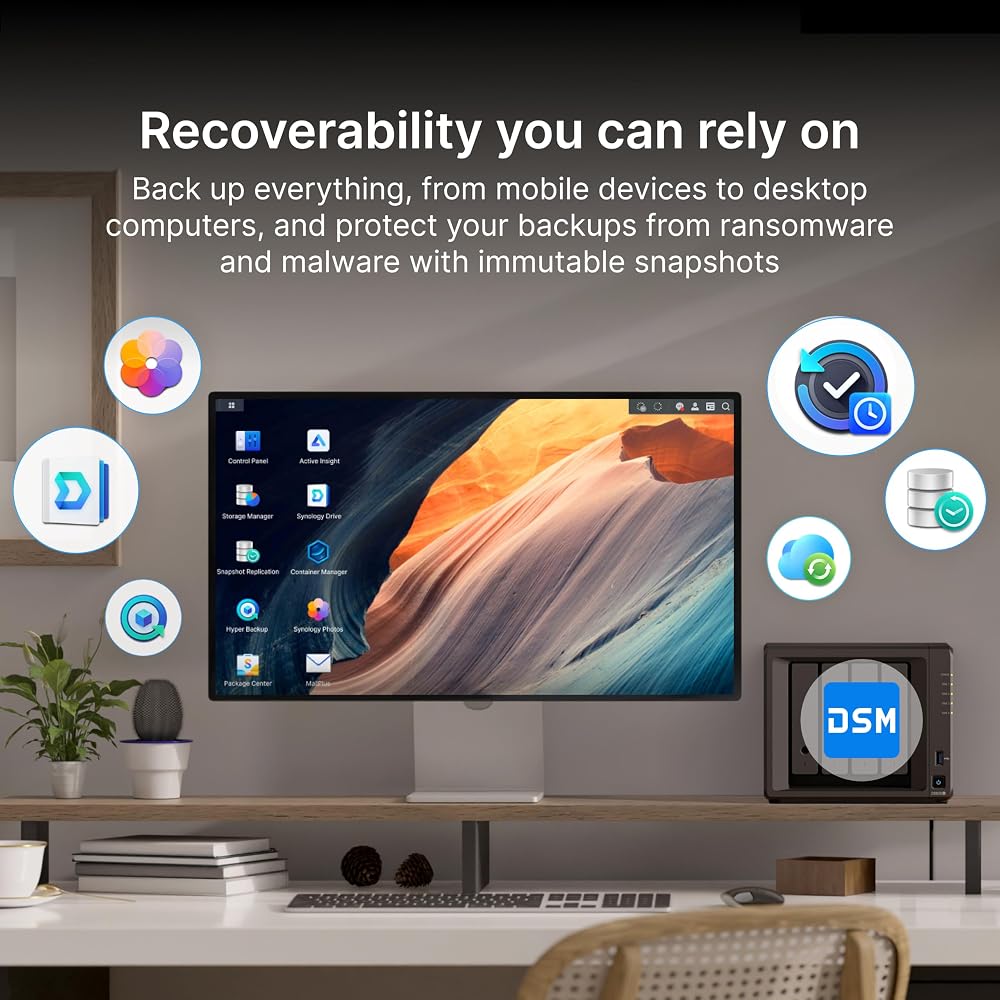
Hardware is only as good as the software driving it, and this is where Synology DiskStation Manager (DSM) truly shines for beginners. Instead of intimidating command lines or complicated server configurations, DSM presents a clean, visual desktop in your web browser that feels just like using an ordinary Mac or Windows computer. You click recognizable desktop icons to manage shared folders, create user accounts for each family member, and schedule automatic backups.
The built-in software ecosystem includes Synology Photos, which automatically synchronizes albums directly from your iPhone or Android device whenever you connect to home Wi-Fi, functioning just like private commercial cloud storage without recurring fees. For entertainment, the unit acts as a synology ds925+ media server, allowing you to organize movie libraries and home videos so they stream smoothly across living room smart TVs and tablets. Furthermore, households utilizing security cameras can deploy Synology’s built-in surveillance tools, expanding functionality with a synology surveillance station license when monitoring multiple cameras around the property.
Reliable Throughput and Hardware Protection
When backing up multiple family computers simultaneously, data transfer speed determines whether backups complete in minutes or drag on for hours. The listing documents sequential transfer speeds reaching up to 522 MB/s sequential read and up to 565 MB/s sequential write performance. These fast transfer rates help ensure that large weekly system backups run swiftly in the background without causing playback stutters on active family media streams.
To support this continuous duty, the enclosure features a durable chassis combining metal and plastic components, finished in a compact matte black tabletop form factor. Synology pairs the hardware with a 3-year limited hardware warranty, providing extended peace of mind that the physical machine is supported against manufacturing defects throughout years of continuous operation.
Specs
Reviewing the manufacturer synology ds925+ specs provides a clear overview of the physical dimensions, interface capabilities, and hardware characteristics included with this enclosure.
| Brand | Synology |
|---|---|
| Model Number | DS925+ |
| Drive Bay Capacity | 4 bays (expandable to 9 bays with expansion unit) |
| M.2 Slots | 2 x M.2 NVMe slots for caching |
| Networking Ports | Dual 2.5GbE ports |
| Throughput Performance | Up to 522 MB/s read, up to 565 MB/s write |
| Operating System | Synology DiskStation Manager (DSM) |
| Dimensions | 8.78"D x 7.83"W x 6.54"H (166 mm x 199 mm x 223 mm) |
| Item Weight | 2260 g |
| Materials and Color | Metal and Plastic, Black |
| Mounting Type | Tabletop |
| Hardware Warranty | 3-year limited hardware warranty |
As published by the manufacturer on the Amazon listing.
Buy it if
Best Use Cases
- Automating seamless photo and video backups from family iPhones and Android devices to reclaim mobile storage space.
- Centralizing document backups across household laptops and desktop computers to safeguard important records against unexpected hard drive failures.
- Serving as a centralized home entertainment media hub for streaming video and music collections across multiple connected household screens.
- Managing smart home security camera feeds locally through integrated surveillance software for dependable continuous recording.
- Collaborating on shared household folders and remote file access for home offices without relying on third-party cloud subscription tiers.
Think twice if
Before You Buy
Before purchasing this enclosure, it is essential to recognize that it ships as a diskless unit. This means there are no storage hard drives included inside the box; you must purchase compatible hard drives separately to begin storing files. Synology explicitly specifies that this unit supports drives on the model’s official compatibility list. Checking this compatibility roster prior to ordering ensures that your chosen mechanical hard drives or solid-state drives will operate reliably without unexpected operating system errors.
Additionally, while the product supports expansion up to nine total drives, the required external expansion unit is sold separately and not bundled in the initial package. If you are comparing mid-tier alternatives like the synology diskstation ds423 4-bay nas, keep in mind your networking needs and expandability goals. Following a standard synology ds925+ setup guide will involve plugging the unit into your router via Ethernet, inserting your drives into the bays, and running the web-based installation assistant; however, the listing does not specify which supplementary cables or accessories are provided inside the physical retail packaging, so you should ensure you have an open Ethernet port ready on your home router.
Bottom Line
When deciding whether is synology ds925+ worth it for your household, consider how many devices and family members rely on digital storage under your roof. The combination of four accessible drive bays, upgraded 2.5GbE networking speeds, dedicated M.2 NVMe caching slots, and user-friendly DiskStation Manager software removes the intimidating technical barriers usually associated with network storage. It lets you establish a safe, centralized repository for all personal media and files without locking your household into never-ending third-party cloud subscriptions.
For shoppers seeking synology ds925+ for beginners, this model provides both immediate ease of use and rare room for expansion. Because it can scale to nine drives and delivers stable read speeds up to 522 MB/s alongside a 3-year limited hardware warranty, it stands as a dependable, future-ready investment for any family ready to take full ownership of their digital life.
FAQ
What does diskless mean when purchasing the Synology DS925+?
A diskless enclosure contains all the computing hardware, internal power components, cooling fans, and network ports needed to run the system, but contains zero internal hard drives. You must buy individual hard drives separately and slide them into the drive bays before the unit can store any personal files or run the operating software.
Can the Synology DS925+ back up files from both iPhone and Android devices?
Yes, the system is compatible with both iPhone and Android mobile operating systems, as well as desktop and laptop computers. Through Synology DiskStation Manager apps, family members can install mobile utilities to automatically sync camera rolls and documents whenever their phone connects to home Wi-Fi.
Can I use any standard computer hard drive inside this enclosure?
The manufacturer specifically states that the unit supports drives on the model’s official compatibility list. While mechanical drives physically fit into the standard bays, selecting drives verified on Synology’s official roster prevents firmware conflicts and ensures long-term operational stability.
What is the benefit of having dual 2.5GbE ports?
Dual 2.5GbE ports provide data transfer speeds up to two-and-a-half times faster than older standard gigabit ports when paired with compatible network routers or switches. Having two ports also allows for connection redundancy, keeping the unit reachable on your network even if one physical cable is accidentally disconnected.
How does the M.2 NVMe cache improve overall performance?
The two built-in M.2 NVMe slots hold compact solid-state drives that act as a high-speed memory buffer. By keeping frequently requested data like photo thumbnails, file directories, and app databases on rapid solid-state memory, the system responds faster while keeping your larger mechanical hard drives dedicated to long-term storage.
Where to buy
at Amazon
Price taken from the listing on 18 Sep 2026 and it can change at any time. We may earn a commission if you buy through this link.
More PC Components & Storage
See the section


Get our picks by email
New reviews and the prices we spotted, once a week.