Acer Nitro XV272U W2 Review: A Beginner’s Guide to High-Speed Play
Shopping for a dedicated gaming monitor can quickly become confusing when technical acronyms and complex jargon dominate every product description. Many parents, gift-givers, and newcomers building their first desktop setup struggle to…
By Rebecca Paxton 9 min read






Our verdict
Scores are out of 10, based on listed specifications and buyer feedback — not from testing of our own
The Acer Nitro XV272U W2 is an impressive 27-inch gaming monitor that bridges the gap between high-definition visual fidelity and tournament-grade fluidity. With its 240Hz ceiling over DisplayPort, rapid pixel response, and fully articulated ergonomic base, it provides everything a beginner or advancing player needs right out of the retail box.
- Crisp 2560 x 1440 QHD resolution on a 27-inch IPS panel offers excellent visual clarity and broad viewing angles for both gaming and daily productivity.
- Ultra-fluid 240Hz refresh rate over DisplayPort gives players a noticeable competitive advantage in fast-moving titles.
- Comprehensive ergonomic stand supports height adjustment, full tilt, complete swivel, and 90-degree portrait pivot for healthy posture.
- AMD FreeSync Premium synchronization prevents distracting screen tearing and judder during intense gaming sequences.
Where to buy
at Amazon
Price taken from the listing on 18 Sep 2026 and it can change at any time. We may earn a commission if you buy through this link.
Pros
- Smooth 240Hz refresh rate over DisplayPort
- Detailed 2560 x 1440 QHD resolution
- Versatile stand with height tilt swivel and pivot
- Fast response time down to 0.5ms
- Includes both HDMI and DisplayPort cables
Cons
- HDMI refresh rate capped at 144Hz
- Modest two-watt integrated speakers
- Listing omits brightness and color gamut metrics
As Amazon Associates, we earn from qualifying purchases. This means we may receive a small commission at no extra cost to you if you click through and make a purchase.
Shopping for a dedicated gaming monitor can quickly become confusing when technical acronyms and complex jargon dominate every product description. Many parents, gift-givers, and newcomers building their first desktop setup struggle to balance crisp visual sharpness with competitive responsiveness. The Acer Nitro XV272U W2 addresses this dilemma by pairing a sharp 2560 x 1440 resolution with an ultra-responsive 240Hz refresh rate on an expansive 27-inch canvas. Designed primarily for aspiring competitive gamers and everyday computer users, it eliminates the blurry motion common on basic office screens while keeping text and graphics crisp for everyday schoolwork and web browsing.
Our overall verdict shows that this screen delivers a serious competitive edge without complicating the everyday user experience. In this acer nitro xv272u w2 gaming review, we find that the combination of fluid motion handling, steady panel colors, and full physical adjustability makes it an exceptionally balanced choice for anyone upgrading from a standard 60Hz or 1080p display. It simplifies desktop ergonomics while providing the raw speed required for fast-paced titles, creating a dependable foundation for modern gaming stations.
Acer Nitro XV272U W2 Features Explained
Display Quality and Crisp 1440p Resolution
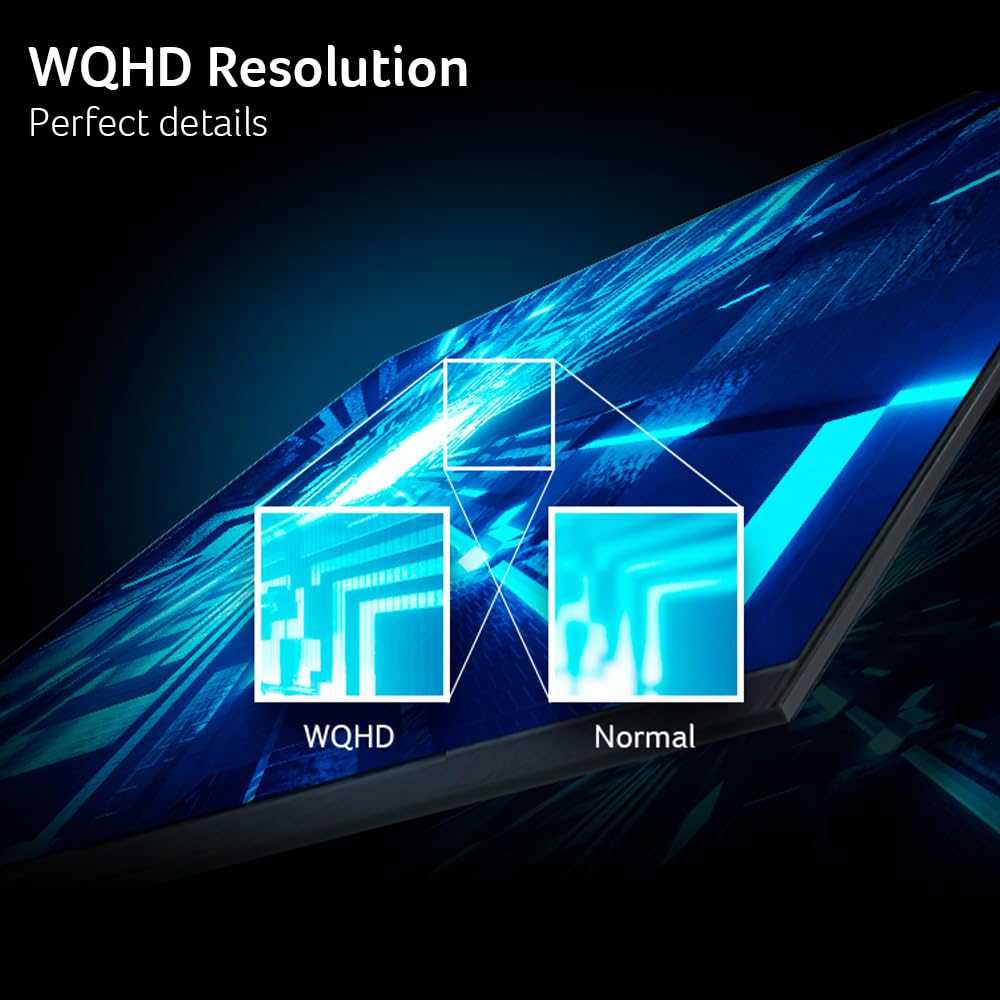
Understanding monitor resolution is straightforward when you look at pixel density. The acer nitro 27 inch 1440p monitor features a QHD resolution of 2560 x 1440 pixels, which packs significantly more visual detail into the screen than standard 1080p full high-definition panels. With a fine pixel pitch of 0.233mm across its 16:9 widescreen format, digital landscapes, character models, and small desktop text appear remarkably sharp and clean. Gamers can spot distant opponents with greater ease, while students and remote professionals gain extra desktop space to arrange multiple document windows side by side without experiencing crowded layouts.
Beneath the surface, this display employs IPS, or In-Plane Switching, panel technology. Unlike older screen types that wash out or shift tint when viewed from an angle, IPS panels preserve accurate color reproduction and steady contrast even when looking from the side. Acer equips this screen with a matte surface finish, which diffuses harsh ambient lighting and suppresses annoying room reflections. Whether the monitor sits in a brightly illuminated bedroom or near a sunny window, players can focus entirely on their content without straining against glare.
High-Speed 240Hz Refresh Rate and Adaptive Sync
Refresh rate refers to the number of times a monitor updates its screen image every single second, measured in Hertz. Standard computer screens refresh at 60Hz, meaning they display 60 images per second. The Acer Nitro XV272U W2 pushes this boundary up to 240Hz when connected through its DisplayPort connection. This quadruple increase in image frequency translates into buttery smooth animations, where sweeping camera pans and swift cursor movements feel virtually instantaneous. For fast-paced games where tracking targets accurately is critical, this speed helps users react faster and aim with greater confidence.
To ensure that this immense speed remains smooth, the monitor features integrated AMD FreeSync Premium technology. In fast gaming sessions, a computer graphics card often produces frames at uneven rates, which can lead to screen tearing—an annoying visual artifact where portions of two different frames appear sliced across the screen simultaneously. FreeSync Premium dynamically synchronizes the monitor refresh rate to match the frame output of your graphics card, eliminating screen tears, stutters, and visual hiccups. When evaluating a broader monitor acer nitro setup, having this adaptive synchronization active ensures games look flawless during intense firefights.
Fast Response Time and Motion Clarity
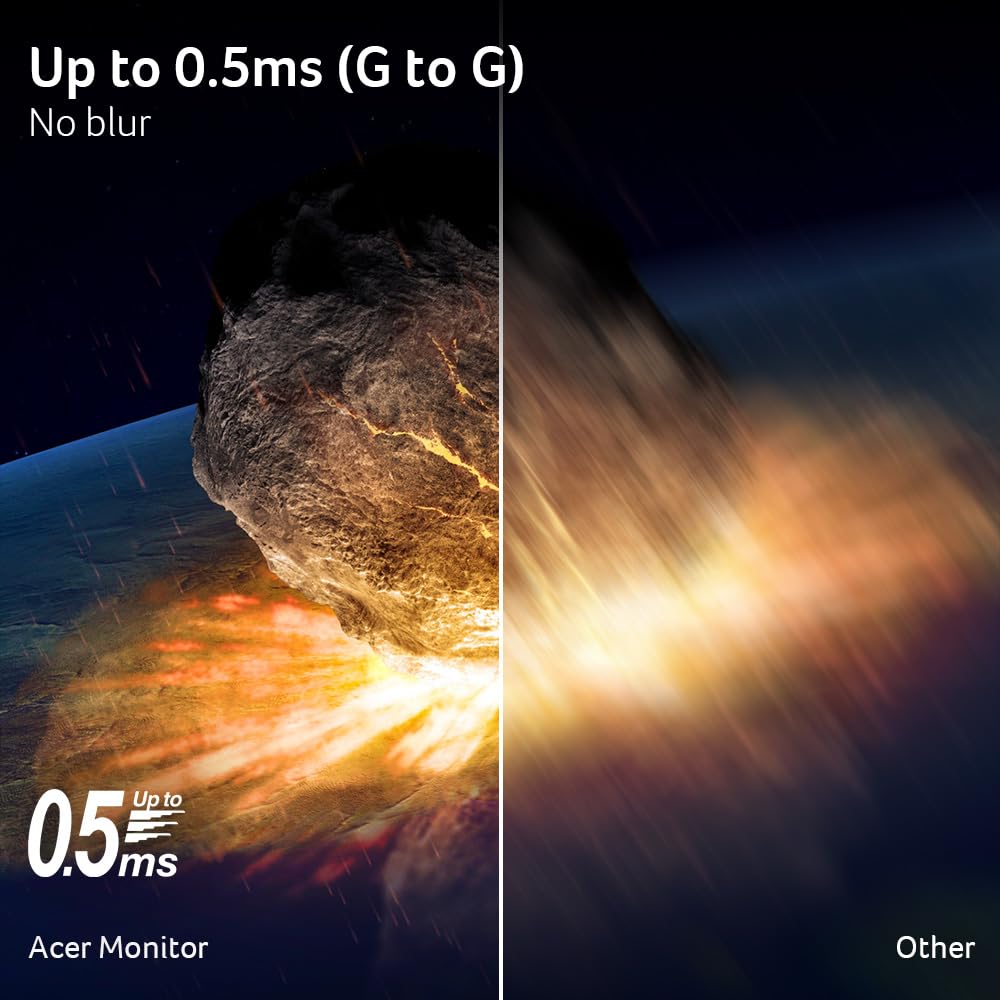
While refresh rate dictates how many frames appear per second, the acer nitro xv272u w2 response time measures how fast individual pixels can shift from one shade of gray to another. This monitor delivers a rapid 1ms gray-to-gray response time, with overdrive capabilities driving it down to 0.5ms gray-to-gray. In slower monitors, pixels take longer to change color, causing rapid movements to leave faint trails or smudges across the screen, a visual defect commonly called ghosting.
Thanks to this fast pixel responsiveness, fast-moving objects retain sharp edges without distracting motion blur or trailing smudges. When navigating high-speed racing tracks or twitchy competitive shooters, players can clearly identify hazards and targets without visual distortion. This makes the screen exceptionally comfortable on the eyes during extended gaming sessions, as visual clarity remains sharp and stable regardless of how quickly the on-screen action moves.
Ergonomic Stand and Desk Versatility
Physical posture is a vital consideration for anyone setting up a gaming or study desk. The acer xv272u w2 ports and stand assembly includes an Ergostand that offers an impressive degree of physical movement rarely found on beginner-friendly monitors. The stand provides 4.7 inches of vertical height adjustment, allowing users to align the top edge of the display with eye level to prevent neck fatigue. It also offers an ergonomic tilt range from -5 degrees forward to 15 degrees backward, along with a full 360-degree swivel that allows effortless sharing of the screen with someone sitting nearby.
Furthermore, the stand features a 90-degree pivot function in both directions, enabling the panel to rotate completely from traditional horizontal landscape mode into vertical portrait mode. Portrait orientation is ideal for coding, reading long text documents, reviewing chat feeds, or managing digital documents. If desk space is restricted, the screen also supports standard VESA mounting compliance with 100 x 100mm spacing, making it simple to detach the stand and mount the panel to an aftermarket desk clamp or wall arm.
Built-in Audio and Connectivity Ports
The physical interface panel on the Acer Nitro XV272U W2 provides convenient inputs for multiple gaming and computing devices. It houses one DisplayPort 1.4 connection, two HDMI 2.0 ports, and a dedicated 3.5mm audio out port. Having multiple video inputs allows users to connect a dedicated gaming desktop alongside a portable machine, such as the laptop acer nitro v15, without continually unplugging and swapping cables. An audio out port allows quick connection to desktop speakers or personal wired headphones directly from the monitor frame.
Additionally, the monitor incorporates two internal stereo speakers, rated at 2 watts per speaker. While these compact speakers are not designed for deep cinematic bass, they offer a convenient built-in sound solution for basic system alerts, casual web clips, or quiet video calls when headphones are unavailable. Having integrated sound reduces clutter on compact desks, keeping the work and play area neat and organized.
Specs
| Brand and Series | Acer Nitro XV272U W2 (XV272U W2bmiiprx) |
|---|---|
| Screen Size and Aspect Ratio | 27 inches, 16:9 widescreen |
| Display Resolution | QHD Wide 1440p (2560 x 1440) |
| Panel Type and Surface | IPS (In-Plane Switching), Matte finish |
| Maximum Refresh Rate | 240Hz (DisplayPort 1.4), 144Hz (HDMI 2.0) |
| Response Time | 1ms G to G (Up to 0.5ms G to G) |
| Pixel Pitch | 0.233mm |
| Adaptive Sync | AMD FreeSync Premium |
| Stand Adjustments | 4.7" Height, -5° to 15° Tilt, 360° Swivel, +/- 90° Pivot |
| Input Ports and Audio | 1 x DisplayPort 1.4, 2 x HDMI 2.0, 1 x Audio Out, 2 x 2W Speakers |
As published by the manufacturer on the Amazon listing.
Buy it if
Best Use Cases
- Competitive first-person shooters and multiplayer action games where the 240Hz refresh rate delivers fluid motion and fast target tracking.
- Everyday high school or college study stations where the crisp 1440p resolution and matte anti-glare screen keep reading comfortable.
- Ergonomic desk setups requiring height, tilt, swivel, or vertical portrait orientation to prevent neck strain and save surface space.
- Dual-system desks where users alternate between a primary desktop tower and a portable rig like the acer nitro v16 across separate video inputs.
Think twice if
Before You Buy
Before adding this monitor to your setup, it is vital to plan your cable connections according to your computer hardware. An essential aspect of the acer nitro xv272u w2 240hz setup is recognizing the specific port bandwidth limitations. To experience the peak 240Hz refresh rate, you must connect your computer using the DisplayPort 1.4 input. If you connect your computer or gaming console using either of the two HDMI 2.0 ports, the maximum refresh rate is capped at 144Hz. Fortunately, Acer includes both a DisplayPort cable and an HDMI cable inside the package, so you will not need to buy video cords separately.
Shoppers should also take note of specific hardware details not provided in the retail product data. The listing does not specify the maximum panel brightness in nits, static contrast ratio numbers, or exact color space coverage percentages like sRGB or DCI-P3. In addition, the listing does not specify HDR certification levels or integrated USB hub passthrough ports. If you intend to connect external accessories such as a mouse or keyboard directly through your monitor, you will need to plug them directly into your computer or a standalone hub instead.
Bottom Line
When deciding whether the acer nitro xv272u w2 for pc gaming fits your household, the combination of high-speed performance and user-friendly ergonomics makes a compelling case. Moving from a standard office screen or an entry-level 1080p display to this 1440p canvas brings an immediate boost to picture clarity, while the 240Hz refresh rate ensures that gameplay feels remarkably fluid and responsive. The built-in AMD FreeSync Premium synchronization and rapid pixel response work together seamlessly to eliminate ghosting and screen tearing without requiring complicated technical setup.
So, is acer nitro xv272u w2 worth it for first-time buyers and gift-givers? Absolutely. Between the included DisplayPort and HDMI cables, the sturdy and fully articulated stand, and the reliable IPS display panel, this monitor removes the guesswork from setting up an advanced gaming station. It stands out as an easy-to-recommend, practical upgrade that will keep both casual and competitive players thrilled for years to come.
FAQ
Does the Acer Nitro XV272U W2 include connection cables in the box?
Yes, the manufacturer includes both a DisplayPort cable and an HDMI cable inside the box alongside the display panel and ergonomic stand, meaning you do not need to purchase video cables separately to start playing.
Why can I only reach 144Hz when using an HDMI connection?
The monitor features HDMI 2.0 ports, which carry enough bandwidth to deliver a 1440p image up to 144Hz. To unlock the full 240Hz refresh rate supported by the display panel, you must connect your computer using the included DisplayPort 1.4 cable.
Can this monitor be mounted to a third-party monitor arm?
Yes, the monitor is VESA mounting compliant with a standard 100 x 100mm hole pattern on the rear chassis, allowing you to remove the included desktop stand and attach the panel to any compatible desk clamp or wall mount.
What are the best settings for acer nitro xv272u w2 motion clarity?
For the best balance of speed and clarity, connect your PC using DisplayPort, set your operating system display refresh rate to 240Hz, and ensure AMD FreeSync Premium is enabled in your graphics software to eliminate screen tearing and ghosting.
Does the Acer Nitro XV272U W2 have built-in speakers?
Yes, the screen includes two integrated stereo speakers with 2 watts of output per speaker for basic audio playback, as well as a 3.5mm audio out port for connecting external desktop speakers or headphones directly to the monitor.
Where to buy
at Amazon
Price taken from the listing on 18 Sep 2026 and it can change at any time. We may earn a commission if you buy through this link.
More Monitors
See the section


Get our picks by email
New reviews and the prices we spotted, once a week.